- 参考链接
python的byte类型
- 参考链接
- byte类型是字节类型, 一般是不能直接打印的,与字符串不同,字符串编码得到字节类型,字节类型解码得到字符串
打印字节
- 使用
bytes.hex()将其转为十六进制字符串
import socket
server = socket.socket(family=socket.AF_INET,type=socket.SOCK_STREAM)
server.bind(('0.0.0.0', 4444))
print('listening for one client')
server.listen(1)
conn,ip_addr = server.accept()
res = conn.recv(2)
print(ip_addr)
print(res.hex())
操作系统and编译随记
编译随记
优化barrier

asm volatile ("mfence" :::"memory)- 这句话的意思是该汇编语句可能访问内存的任何位置,因此任何内存相关的优化不能穿过这句话

__sync_synchronize()- 这是编译器直接提供的一个barrier
- 假如不写volatile的话,编译器可能直接不考虑变量的读写访存问题直接进行优化,比如优化等级选择
-O1,-O2的话,可能会直接略过循环,给变量赋值一个终值 - 仅靠编译器是无法实现原子操作的,必须有处理器本身的支持
- PeterSon算法必须是使用原子操作的读写才可以,否则还是会出问题(虽然可能概率不大)
- 注意, 代码编译优化的时候不能够将其挪动到临界区外面(需要barrier),否则整个就会出错
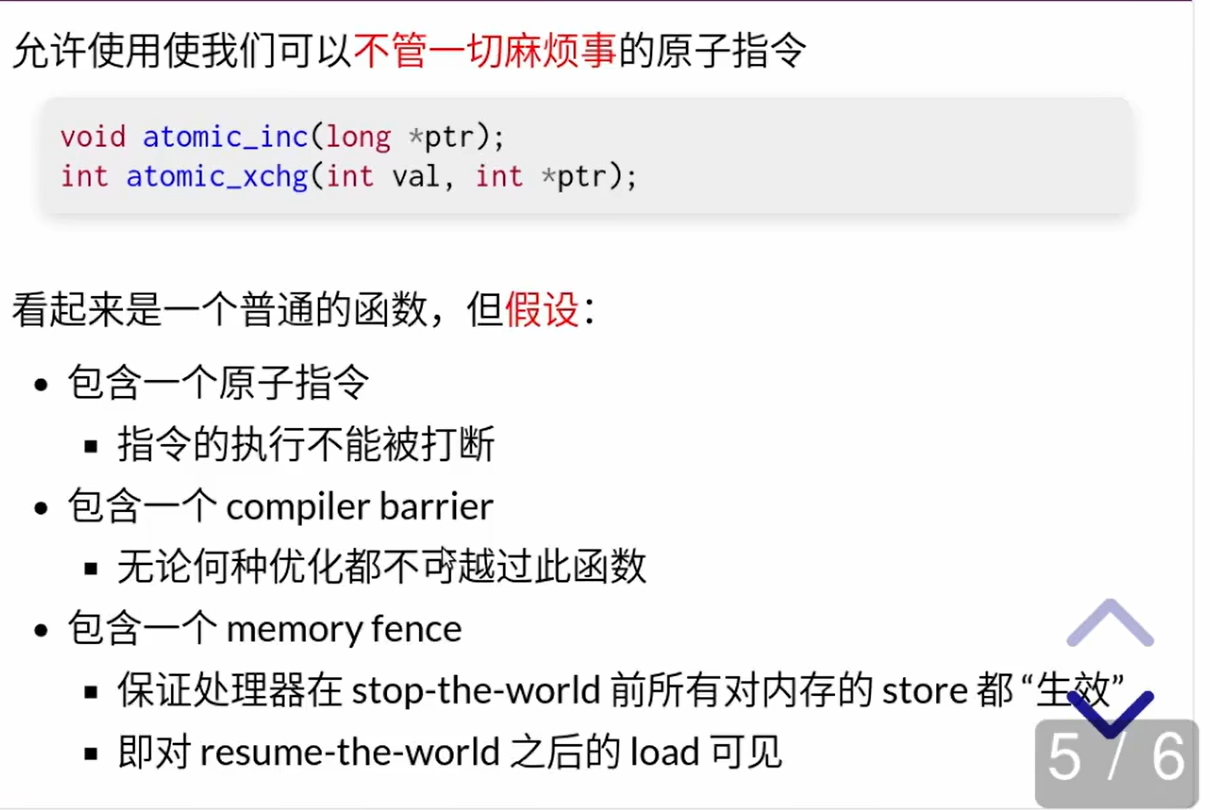
- 前一条原子指令之前发生的事件,后一条原子指令都可见(也就是在他开始之前都完成了)
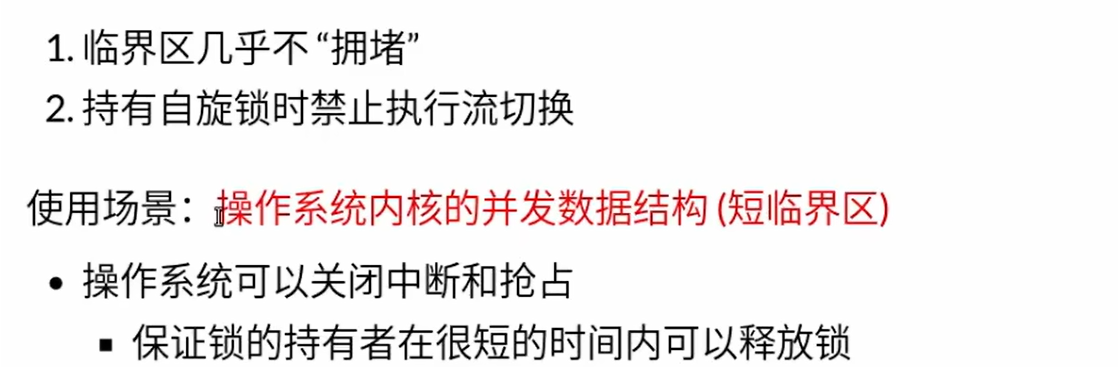
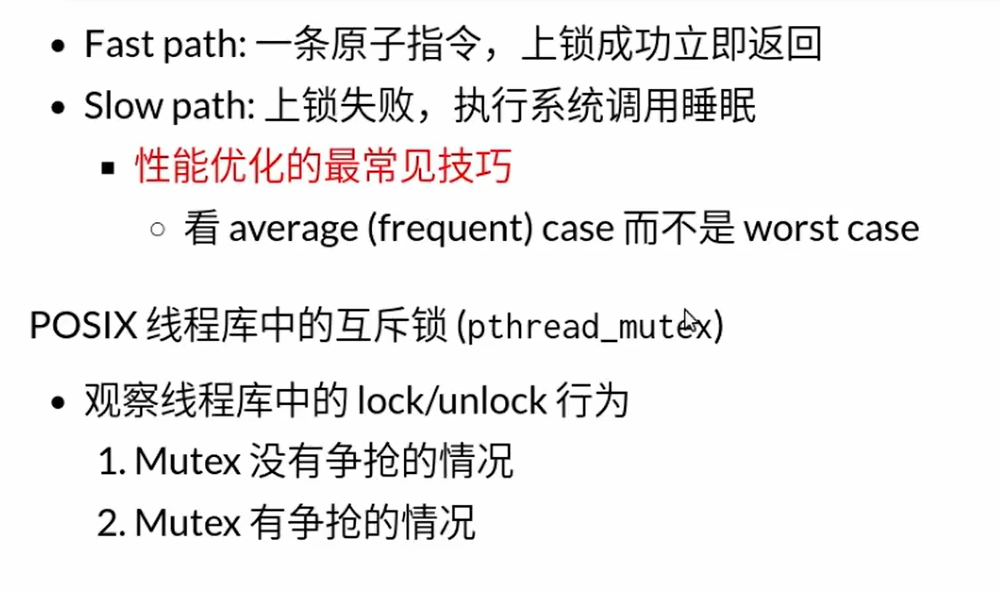
- 互斥锁的操作实际上是能进入的时候就进入,不能进入的时候就进入等待队列,切换到别的线程,防止全部阻塞
- 但是互斥锁在处理公用的锁的时候需要用到自旋锁来保护自己的状态不被打断
- 互斥锁不自旋,不会因为自选浪费CPU
- 实际上上互斥锁的操作比较复杂,对于短的临界区,使用互斥锁反而慢
- Unix系统中的管道是一个天然的既带有同步又带有数据传输的机制
手动原子指令
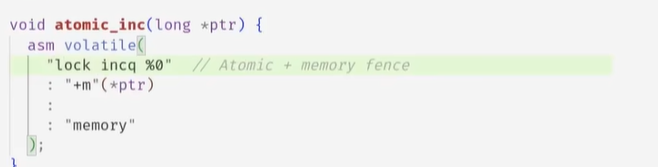
- 在某一条汇编指令前面加
lock,CPU对外有总线发送LOCK信号,会给予一个CPU内存的独占访问权限,直到这个信号结束,防止在指令执行完成期间内存被修改 - 原子指令做的事实际上就是将系统所有的执行流分成atmoic指令之前,和atomic指令之后,这两个是不可逾越不可互相交错的,相当于原子指令执行的过程中世界停止了,对于所有CPU核心或者所有其他进程线程而言
如何解决并发的问题
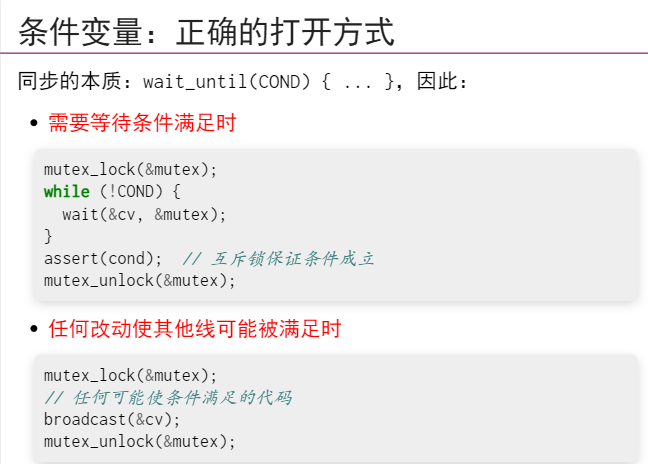
int n, count = 0;
mutex_t lk = MUTEX_INIT();
cond_t cv = COND_INIT();
void Tproduce() {
while (1) {
mutex_lock(&lk);
while (!CAN_PRODUCE) {
cond_wait(&cv, &lk);
}
printf("("); count++;
cond_broadcast(&cv);
mutex_unlock(&lk);
}
}
void Tconsume() {
while (1) {
mutex_lock(&lk);
while (!CAN_CONSUME) {
cond_wait(&cv, &lk);
}
printf(")"); count--;
cond_broadcast(&cv);
mutex_unlock(&lk);
}
}
int main(int argc, char *argv[]) {
assert(argc == 3);
n = atoi(argv[1]);
int T = atoi(argv[2]);
setbuf(stdout, NULL);
for (int i = 0; i < T; i++) {
create(Tproduce);
create(Tconsume);
}
}携程
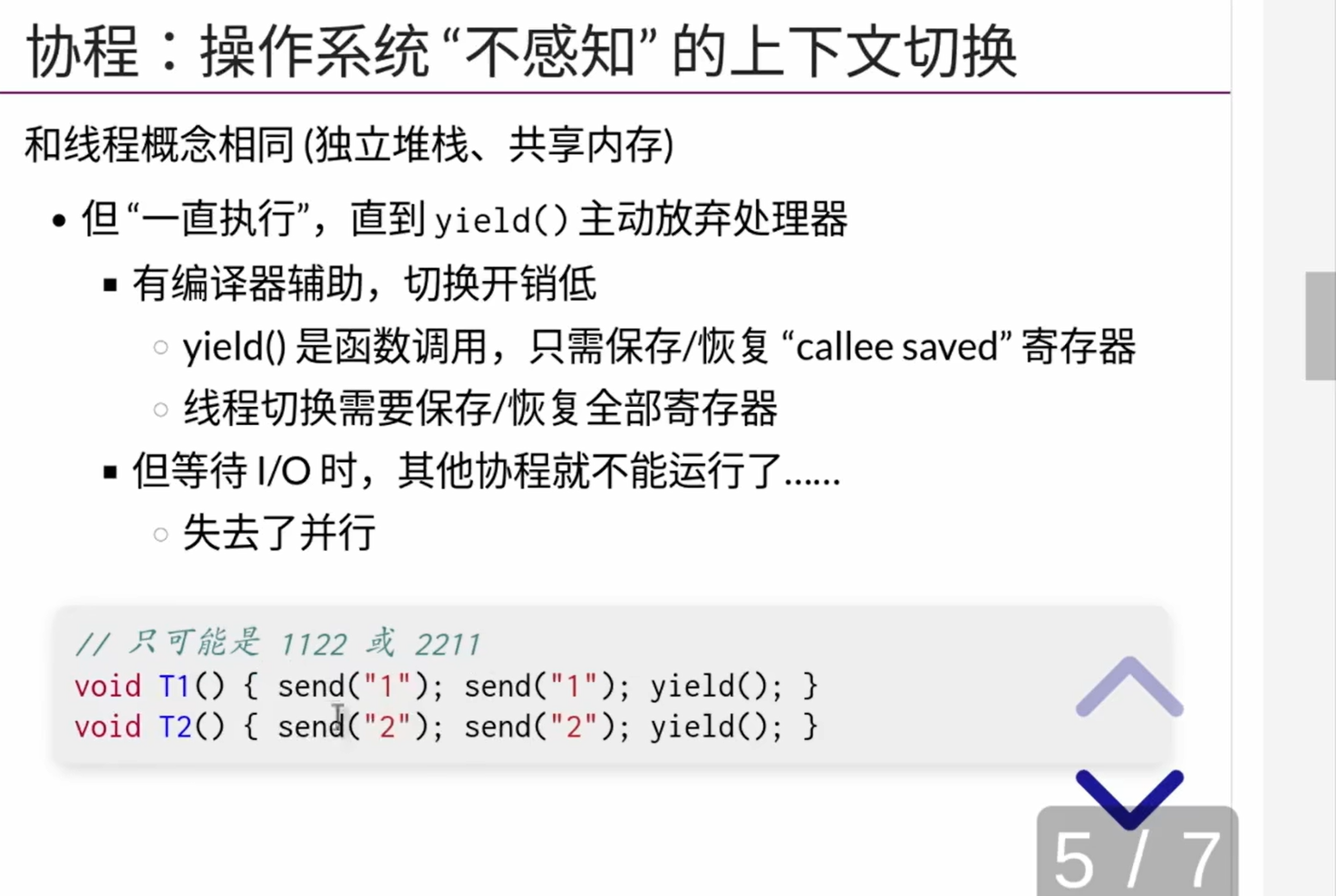
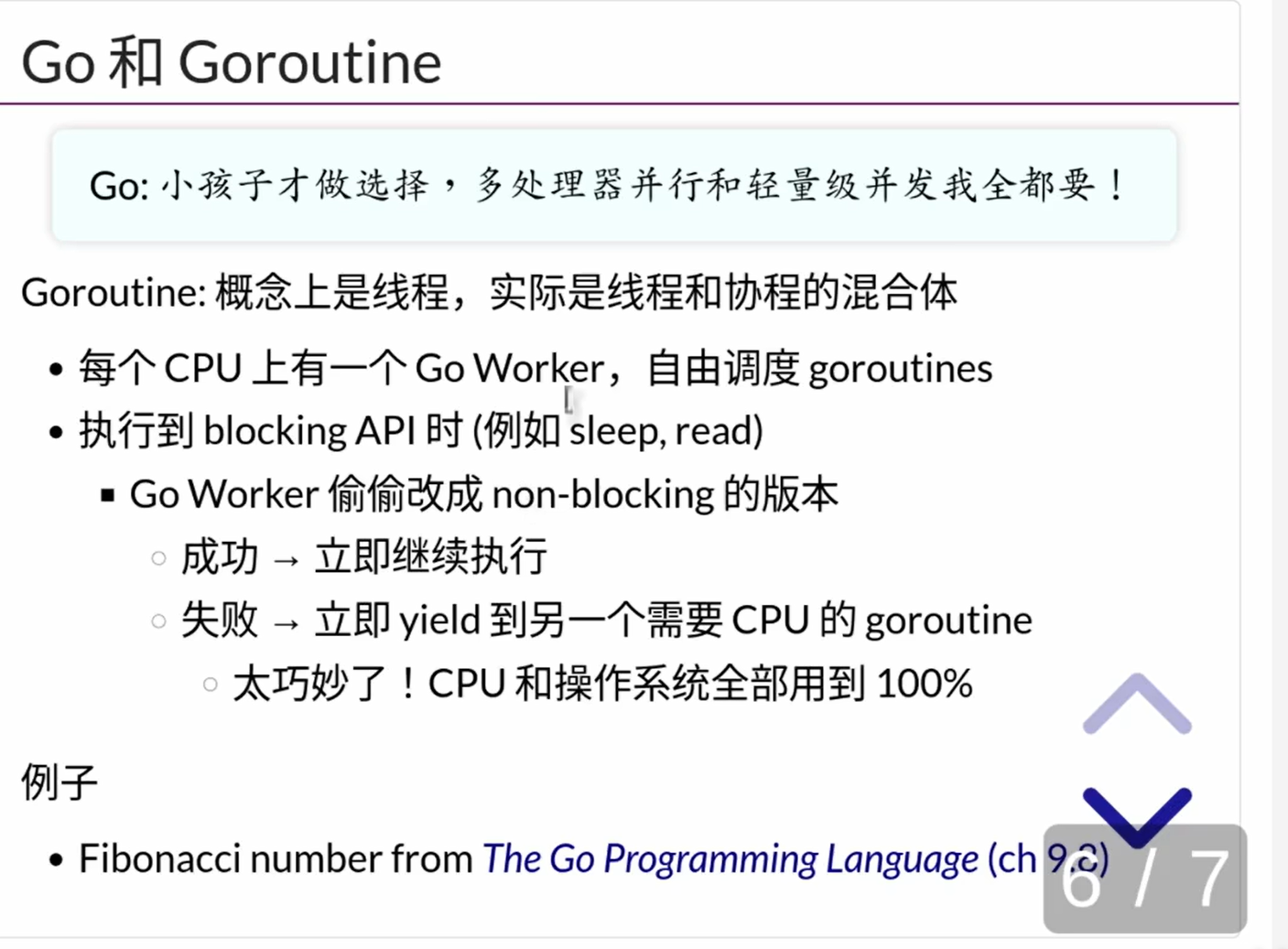
- go语言对于线程的新处理方式(结合线程与携程)
package main

import (
  "fmt"
  "time"
)

func main() {
  go spinner(100 * time.Millisecond)
  const n = 45
  fibN := fib(n) // slow
  fmt.Printf("\rFibonacci(%d) = %d\n", n, fibN)
}

func spinner(delay time.Duration) {
  for {
    for _, r := range `-\|/` {
      fmt.Printf("\r%c", r)
      time.Sleep(delay)
    }
  }
}

func fib(x int) int {
  if x < 2 { return x }
  return fib(x - 1) + fib(x - 2)
}
- 注意,打印
\r实际上是使得光标回到行首,也就是可以实现在行首的同一个位置不停的重复打印字符的目的 - 比如go语言中进程间通信就是管道的方式
channelpackage main
import "fmt"
var stream = make(chan int, 10)
const n = 4
func produce() {
for i := 0; ; i++ {
fmt.Println("produce", i)
stream <- i
}
}
func consume() {
for {
x := <-stream
fmt.Println("consume", x)
}
}
func main() {
for i := 0; i < n; i++ {
go produce()
}
consume()
}为cuda编写程序
- 编写的是类似与C或者cpp的程序,但是使用
nvcc编译器进行编译,得到相应的结果 - cuda程序最好不要有分支
static uint32_t colors[MAX_ITER + 1];
static uint32_t data[DIM * DIM];
__device__ uint32_t mandelbrot(double x, double y) {
double zr = 0, zi = 0, zrsqr = 0, zisqr = 0;
int i;
for (i = 0; i < MAX_ITER; i++) {
zi = zr * zi * 2 + y;
zr = zrsqr - zisqr + x;
zrsqr = zr * zr;
zisqr = zi * zi;
if (zrsqr + zisqr > 4.0) {
break; // SIMT threads diverges here!
}
}
return i;
}
__global__ void mandelbrot_kernel(uint32_t *data, double xmin, double ymin, double step, uint32_t *colors) {
int pix_per_thread = DIM * DIM / (gridDim.x * blockDim.x);
int tId = blockDim.x * blockIdx.x + threadIdx.x;
int offset = pix_per_thread * tId;
for (int i = offset; i < offset + pix_per_thread; i++) {
int x = i % DIM;
int y = i / DIM;
double cr = xmin + x * step;
double ci = ymin + y * step;
data[y * DIM + x] = colors[mandelbrot(cr, ci)];
}
if (gridDim.x * blockDim.x * pix_per_thread < DIM * DIM
&& tId < (DIM * DIM) - (blockDim.x * gridDim.x)) {
int i = blockDim.x * gridDim.x * pix_per_thread + tId;
int x = i % DIM;
int y = i / DIM;
double cr = xmin + x * step;
double ci = ymin + y * step;
data[y * DIM + x] = colors[mandelbrot(cr, ci)];
}
}
int main() {
float freq = 6.3 / MAX_ITER;
for (int i = 0; i < MAX_ITER; i++) {
char r = sin(freq * i + 3) * 127 + 128;
char g = sin(freq * i + 5) * 127 + 128;
char b = sin(freq * i + 1) * 127 + 128;
colors[i] = b + 256 * g + 256 * 256 * r;
}
colors[MAX_ITER] = 0;
uint32_t *dev_colors, *dev_data;
cudaMalloc((void**)&dev_colors, sizeof(colors));
cudaMalloc(&dev_data, sizeof(data));
cudaMemcpy(dev_colors, colors, sizeof(colors), cudaMemcpyHostToDevice);
double xcen = -0.5, ycen = 0, scale = 3;
mandelbrot_kernel<<<512, 512>>>(
dev_data,
xcen - (scale / 2),
ycen - (scale / 2),
scale / DIM,
dev_colors
);
cudaMemcpy(data, dev_data, sizeof(data), cudaMemcpyDeviceToHost);
cudaFree(dev_data);
cudaFree(dev_colors);
FILE *fp = fopen("mandelbrot.ppm", "w");
fprintf(fp, "P6\n%d %d 255\n", DIM, DIM);
for (int i = 0; i < DIM * DIM; i++) {
fputc((data[i] >> 16) & 0xff, fp);
fputc((data[i] >> 8) & 0xff, fp);
fputc((data[i] >> 0) & 0xff, fp);
}
return 0;
}javaScript中的并发
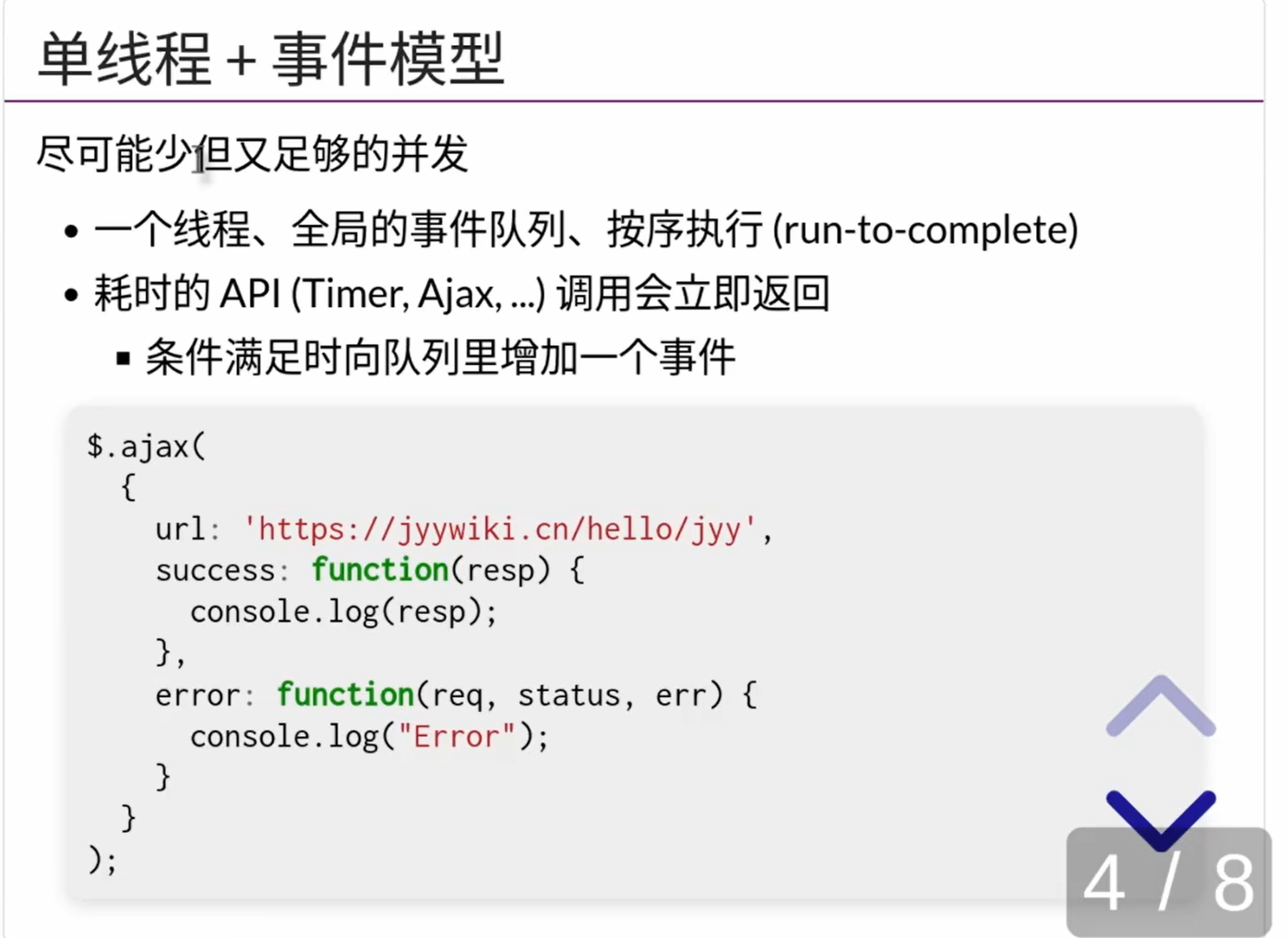
- JS的时间轴是不会被打断的,一个函数一定要运行到结束位置
- 假如函数中的有耗时的操作,这个耗时的操作会被移动到浏览器的后台执行,执行完成之后会有一个callback函数,此时浏览器切换到继续需要执行的回调函数
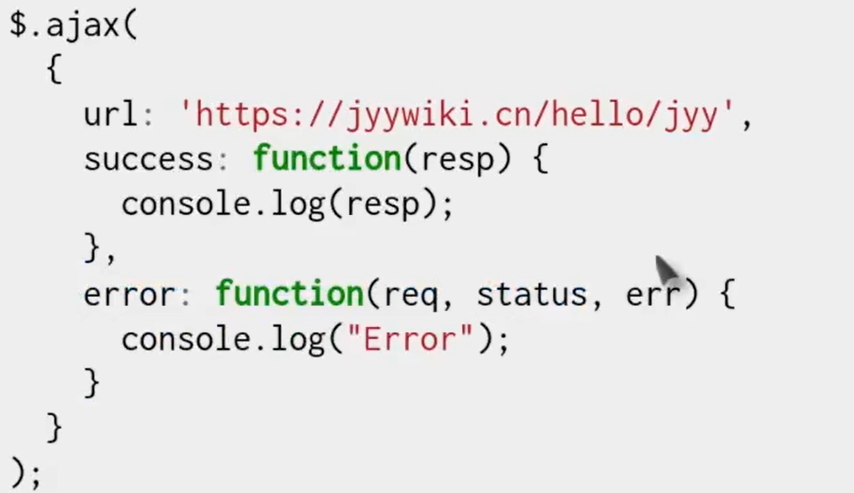
- 两个函数本质上都是回调函数
- 并且,假如耗时的步骤完成之后,系统中正在有其他函数执行,那么会等到其他函数执行结束之后在进行回调
- 所以不存在事件内与其他执行流并发的问题
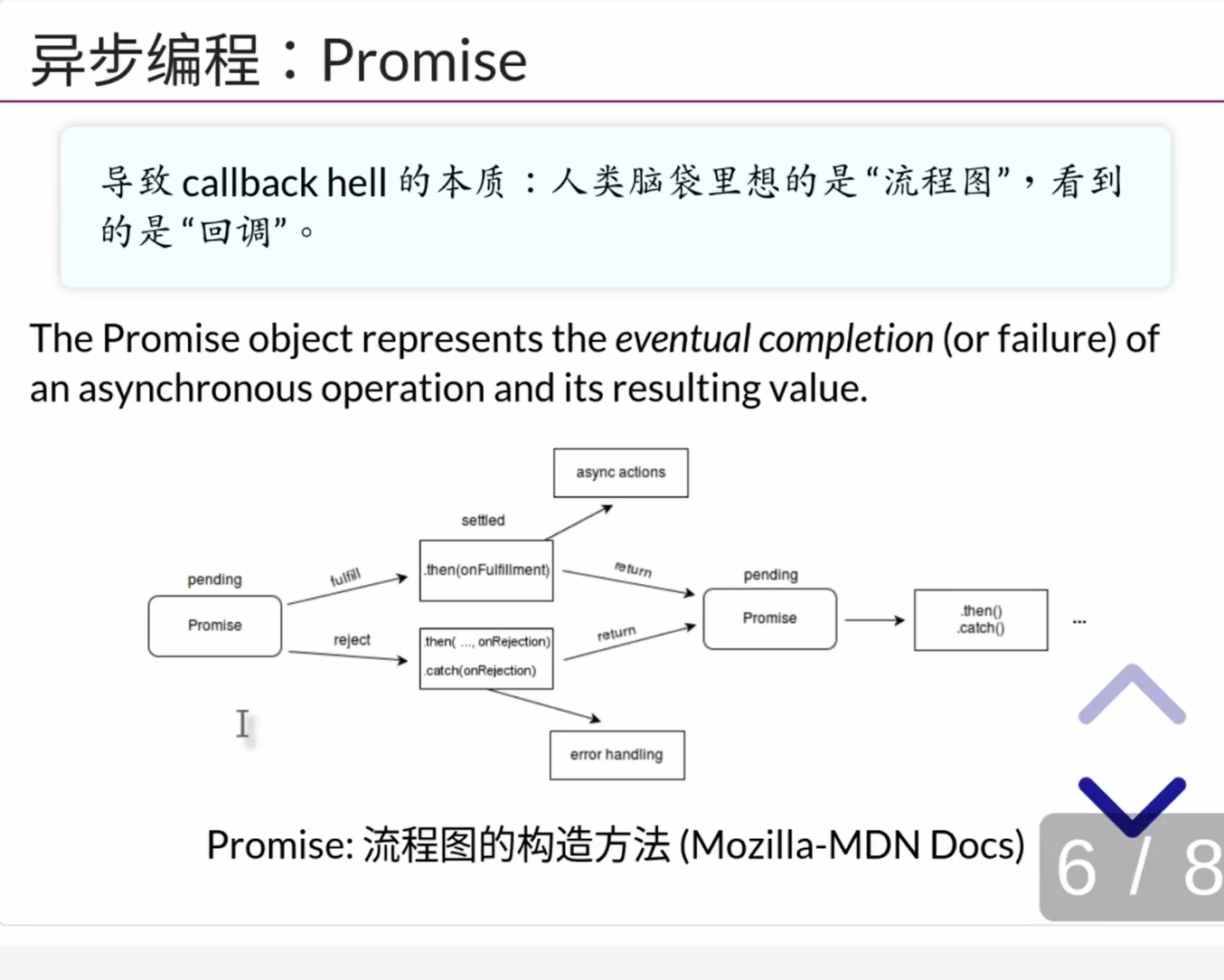
解决$.ajax不便于维护的问题,引入Promise
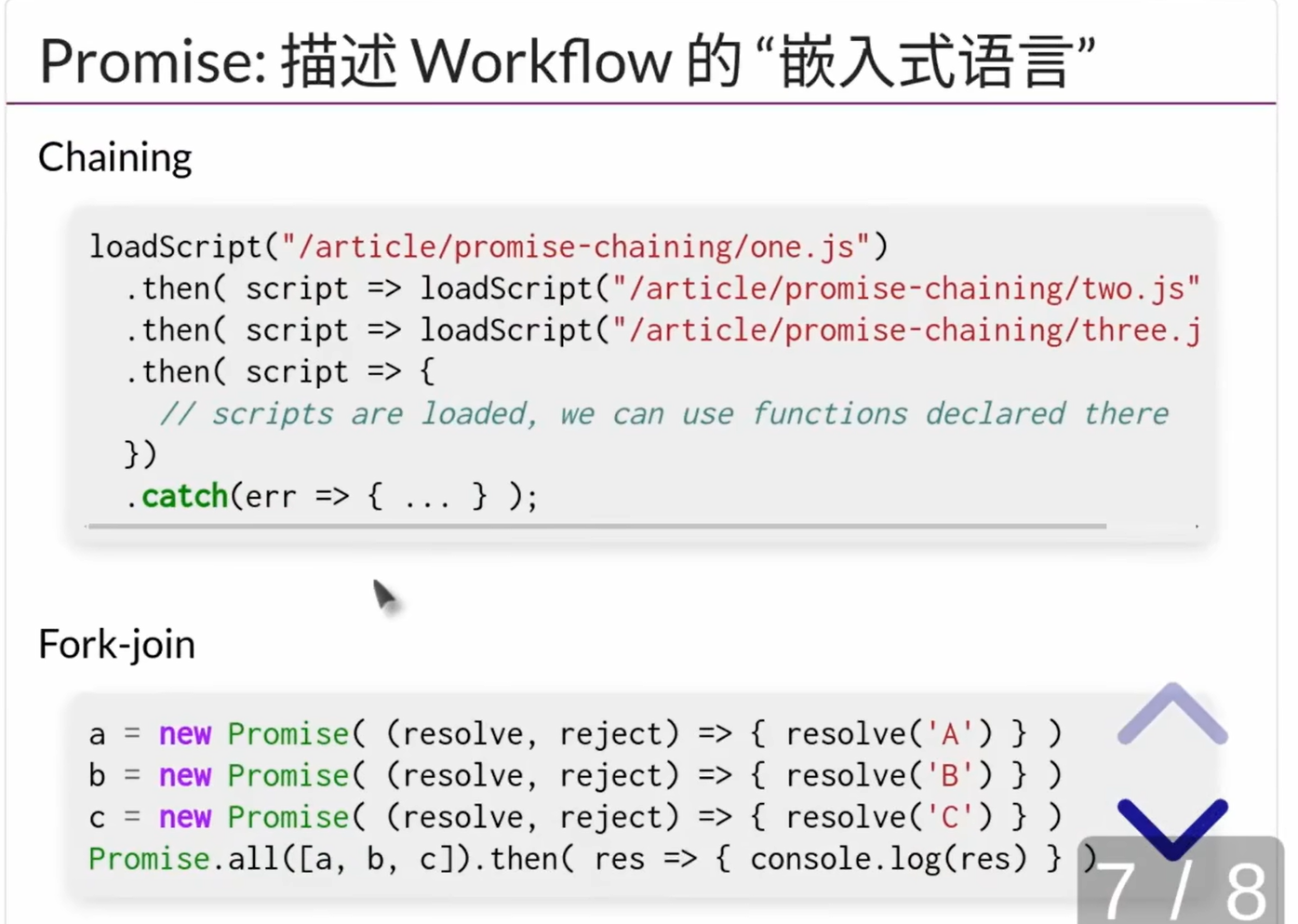
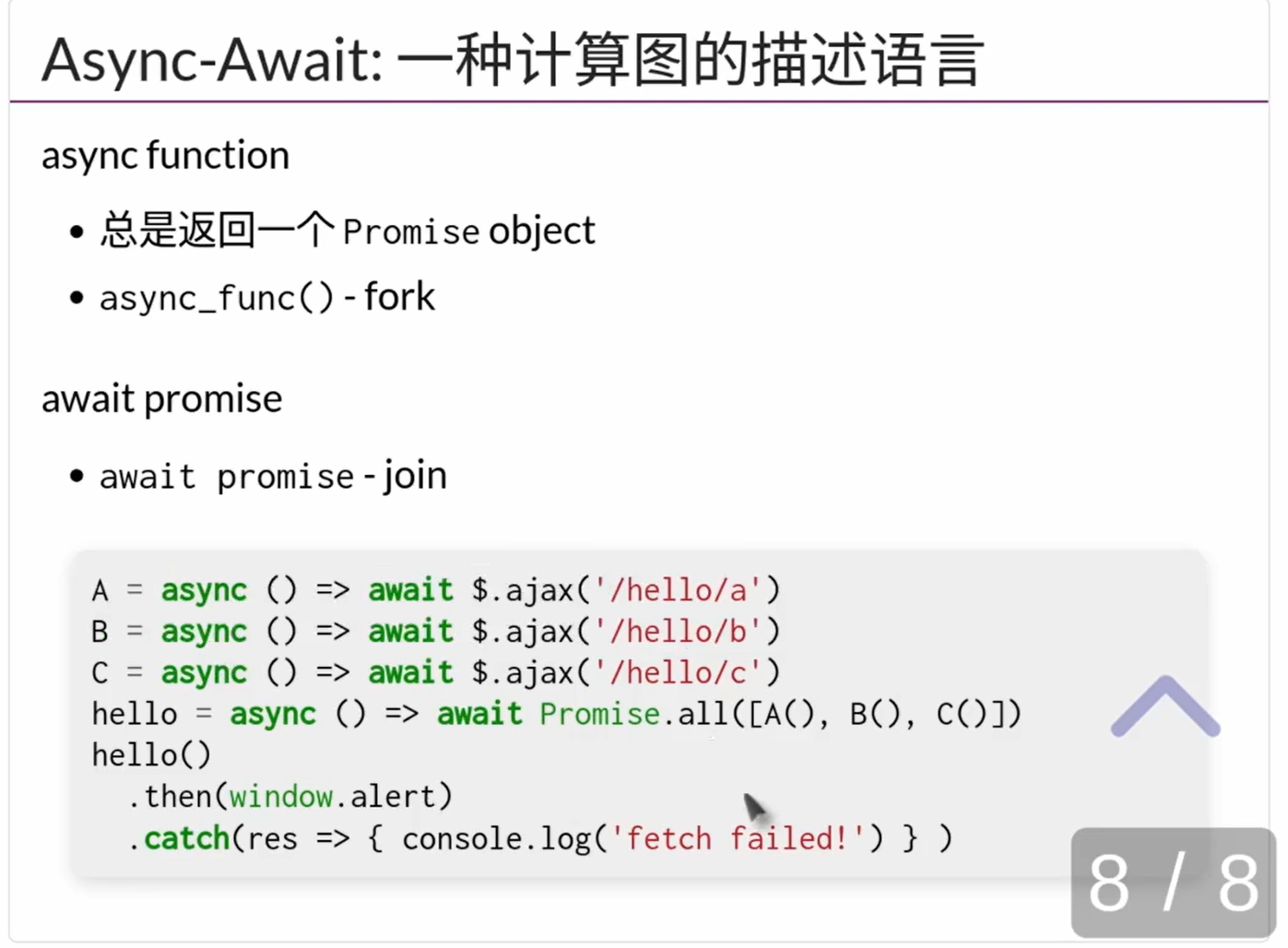
- 教程
避免死锁
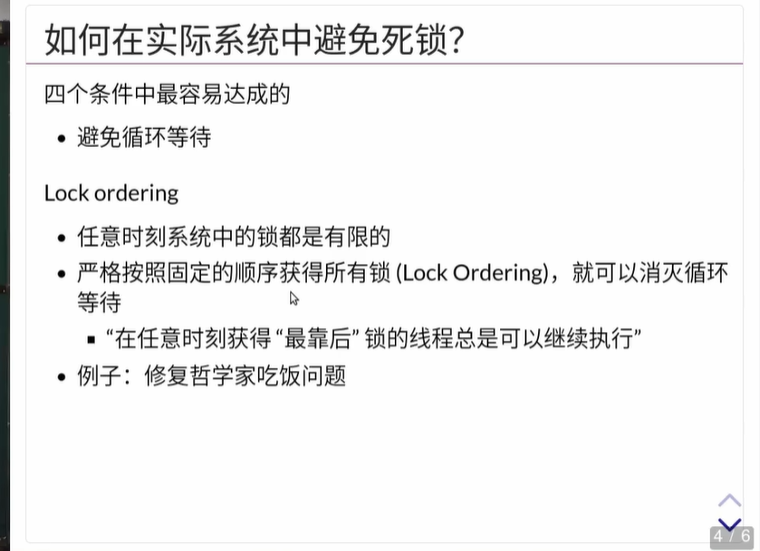
- 比如解决哲学家吃饭问题,将所有的叉子从小到大编号,要求每个哲学家都先拿自己手边编号较小的叉子,再拿编号大的,所有人都按照同样的顺序拿叉子
编译器的线程消毒器选项
-fsanitize-thread 
- 辅助检查并发bug
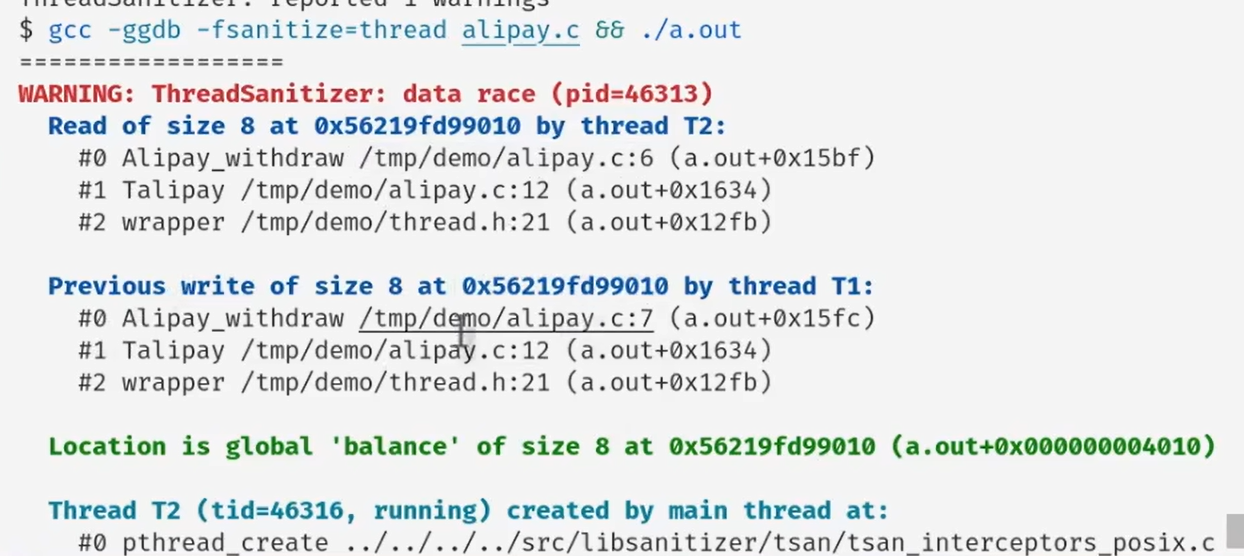
- 运行时检查内存访问
- 基本假设是每个线程里面的事件是顺序发生的
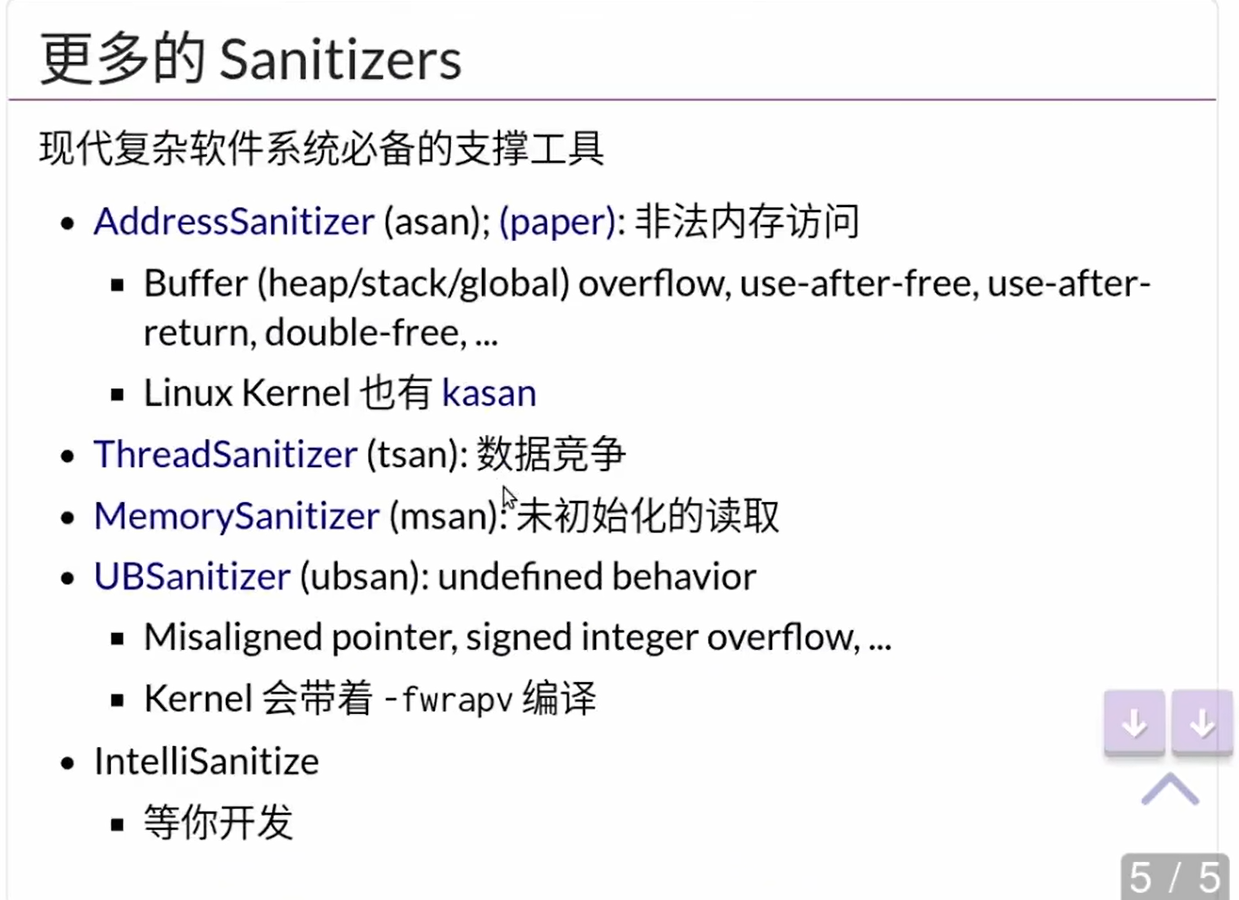
- 假如不同的线程之间访问同一片内存,但是这两个操作之间不存在一个线程先解锁,另一个线程再上锁的操作的话,就会导致data race问题
- 其他的
sanitizer - 比如可以检查是否操作了已经释放过的内存
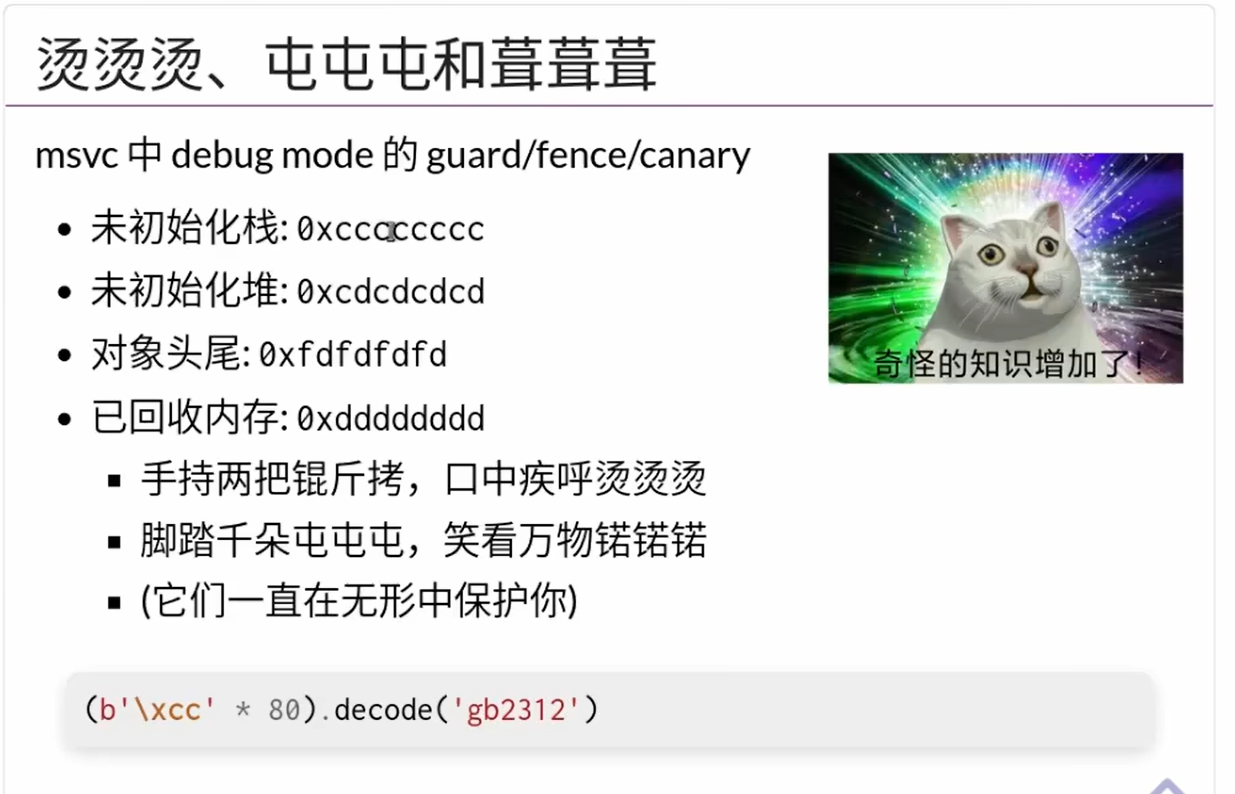
0xccccc...字符串在gb解码下是“烫烫烫烫…”oxcdcdcdcd...在gb解码下是“屯屯屯屯屯”

中断相关
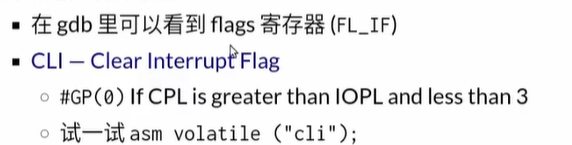
- 关中断
- 在正常模式下,假如应用程序试图执行这个操作,CPU会直接产生中断,认为应用程序执行了非法操作
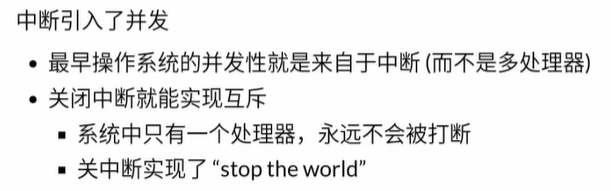
- 对于单处理器系统,关闭中断就可以实行互斥,再重新开中断之前都不会被打断
- 多处理器系统不适用
- 中断发生的时候中断处理程序会把所有的寄存器搬到内存里保存,再中断返回的时候又会把所有的寄存器数值搬回原来的位置
50行代码实现一个操作系统
- 头文件
// User-defined tasks

void func(void *arg) {
  while (1) {
    lock();
    printf("Thread-%s on CPU #%d\n", arg, cpu_current());
    unlock();
    for (int volatile i = 0; i < 100000; i++) ;
  }
}

Task tasks[] = {
  { .name = "A", .entry = func },
  { .name = "B", .entry = func },
  { .name = "C", .entry = func },
  { .name = "D", .entry = func },
  { .name = "E", .entry = func },
}; - .c文件
typedef union task {
  struct {
    const char *name;
    union task *next;
    void      (*entry)(void *);
    Context    *context;
  };
  uint8_t stack[8192];
} Task;  // A "state machine"
Task *currents[MAX_CPU];
int locked = 0; // A spin lock
void lock() { while (atomic_xchg(&locked, 1)); }
void unlock() { atomic_xchg(&locked, 0); }
Context *on_interrupt(Event ev, Context *ctx) {
if (!current) current = &tasks[0]; // First interrupt
else current->context = ctx; // Save pointer to stack-saved context
do {
current = current->next;
} while ((current - tasks) % cpu_count() != cpu_current());
return current->context; // Restore a new context
}
void mp_entry() {
yield(); // Self-trap; never returns
}
int main() {
cte_init(on_interrupt);
for (int i = 0; i < LENGTH(tasks); i++) {
Task *task = &tasks[i];
Area stack = (Area) { &task->context + 1, task + 1 };
task->context = kcontext(stack, task->entry, (void *)task->name);
task->next = &tasks[(i + 1) % LENGTH(tasks)];
}
mpe_init(mp_entry);
}防止循环被直接优化的方法
- 在for中使用
volatile的计数变量for (int volatile i = 0; i < 100000: i++);
- 上述代码中的
yield实际上是原地产生一个处理器中断 - 注意在Union中使用struct的方式
typedef union task {
struct {
const char *name;
union task *next;
void (*entry)(void *);
Context *context;
};
uint8_t stack[8192];
} Task; // A "state machine" - CPU是一种状态机的容器,操作系统的任务就是让CPU在不同的状态机之间轮换
创建新的进程
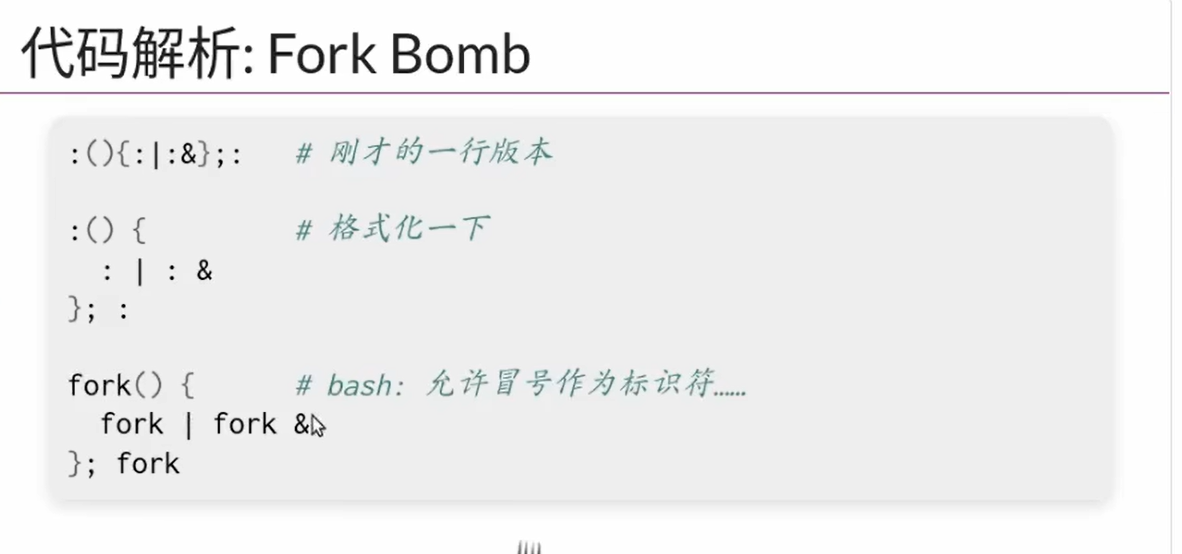
- 命令行允许
:作为标识符 - 一变二、二变四创建新的进程
进程树
- 所有进程都是从上一个进程fork(复制)出来的,多有状态都被复制了,包括PC指针等等,因此存在父子关系
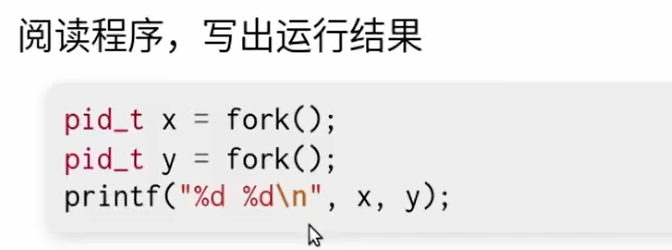
- 会产生四个进程
- 顺序不是确定的
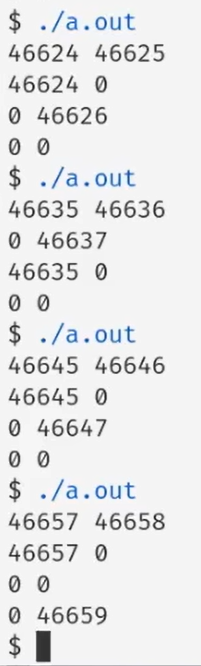
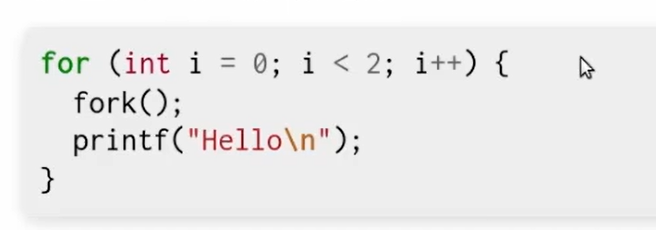
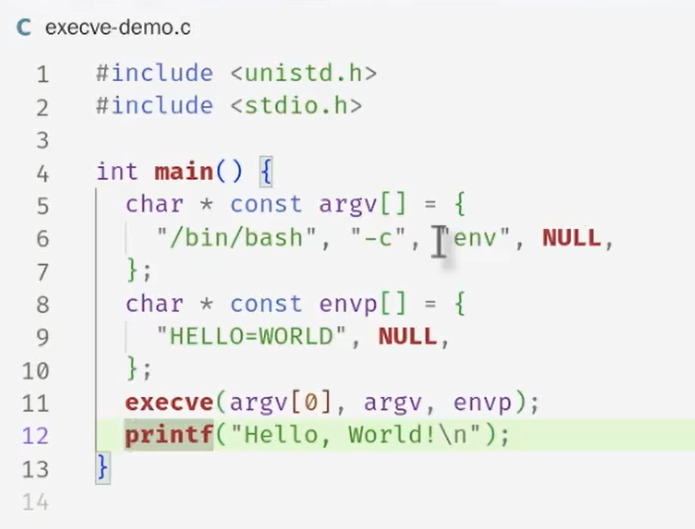
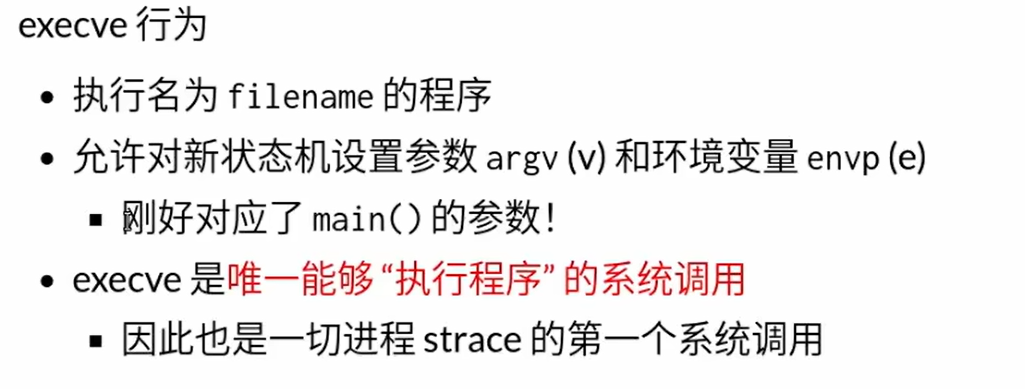
execve()- 的行为是把一个静态的状态机重置为传递给
execve的文件路径指向的可执行文件描述的初始状态,并且给main()函数传递argc,argv两个参数 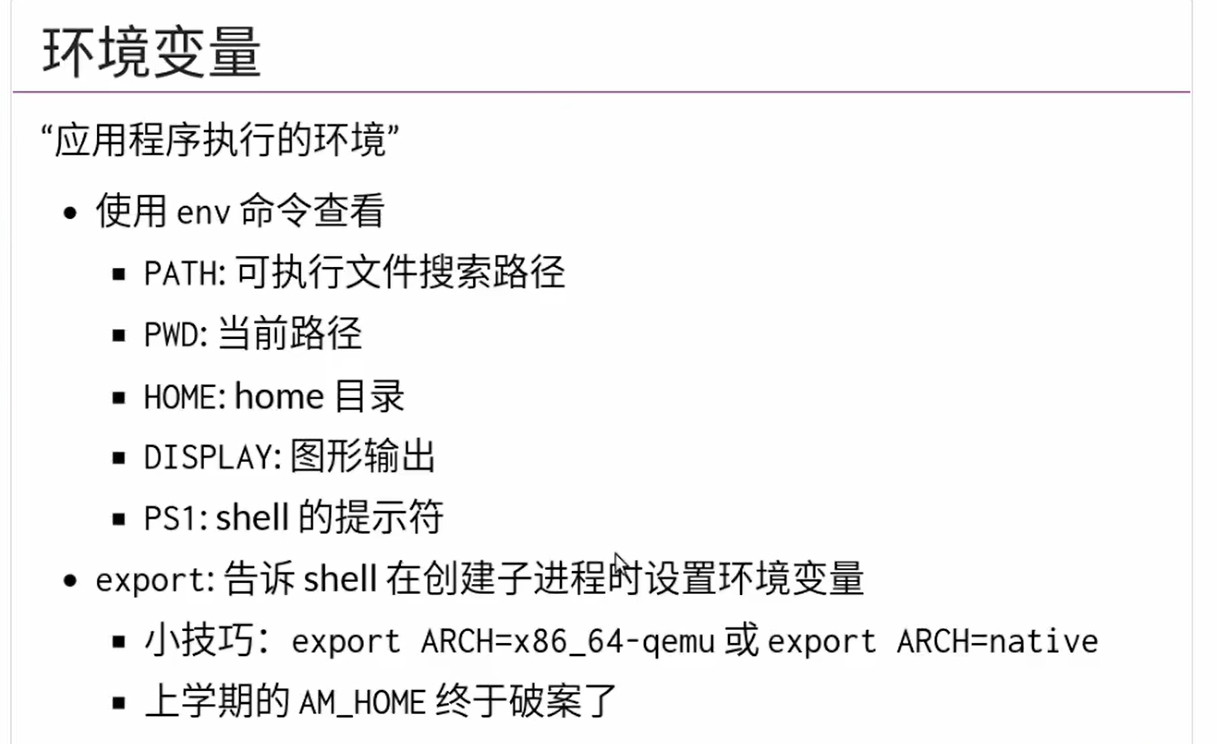
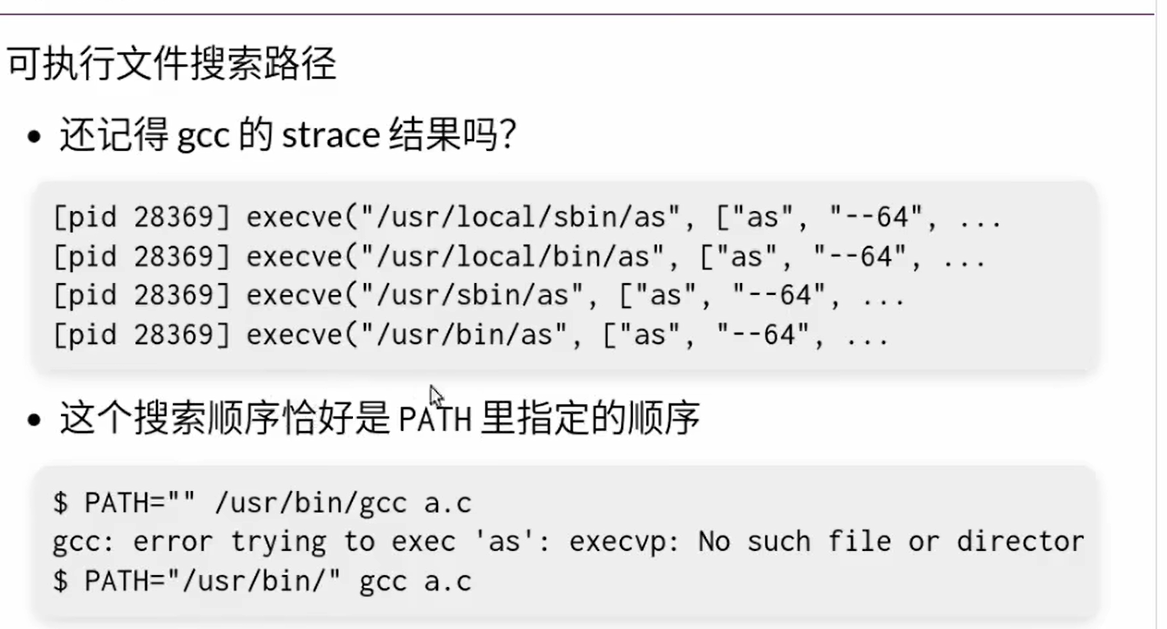
- 环境变量也是通过
execve传进去的,会继承父进程的环境变量 - 修改命令行的提示符

PS1变量
exit()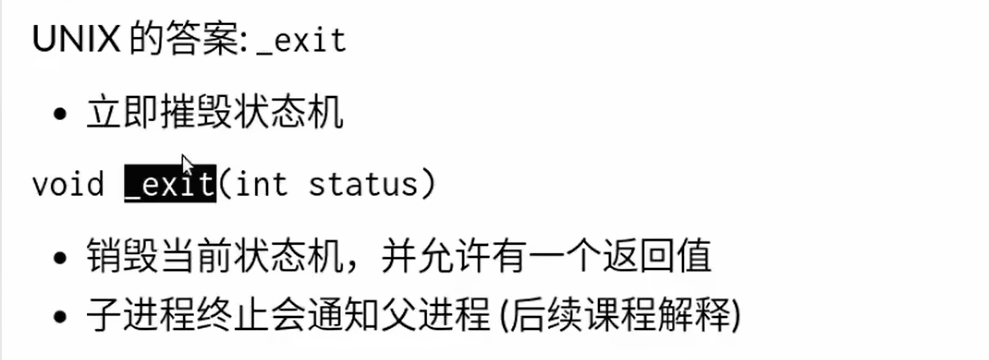
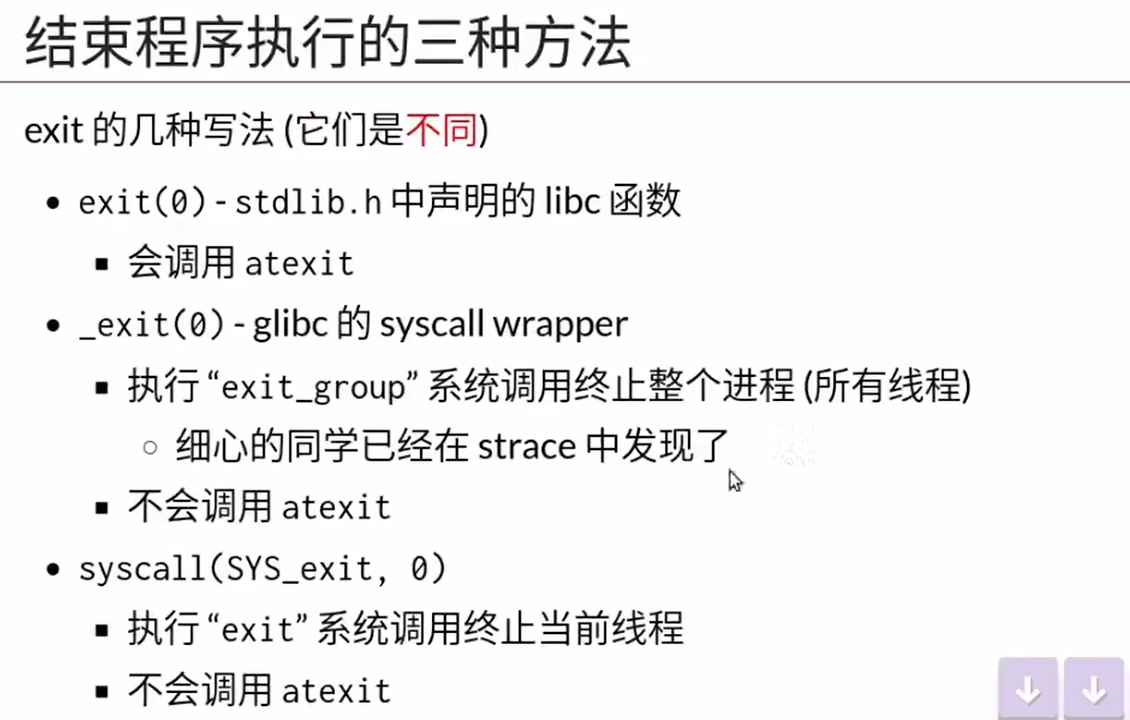
- 与C语言的库函数
exit区分开
- 与C语言的库函数

- 这个的作用是exit hook,就是在退出的执行一些处理后事的程序
- 这个程序只对C语言标准库中的
exit函数起作用,假如直接用系统调用的_exit,那么不会打印任何东西直接退出
- 多线程和单线程也是有区别的
使用crow在CPP环境下开发web服务器
下载与安装
- 官方网站
- github
- 下载自己需要的relaease即可
- C++包的头文件在
/usr/include目录下 - 但是出现错误fatal error: boost/optional.hpp: No such file or directory
- 此时安装
boost,也就是sudo apt-get install libboost-all-dev - 然后又报错
undefined reference to pthread_sigmask,此时在编译后加参数-lpthread添加多线程库 - 但是还有错误
undefined reference to boost::system::system_category()'之类的,需要添加参数-lboost_system -lboost_thread - 最终的编译命令为
g++ ./crowHelloWorld.cpp -o helloWorld -lpthread -lboost_system -lboost_thread - 输出结果

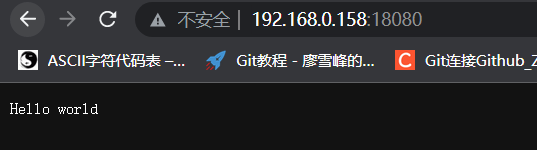
一个简单的包含前后端互换数据的案例
- 新手参考
后端
int main()
{
crow::SimpleApp app;
CROW_ROUTE(app, "/")([](){
auto page = crow::mustache::load_text("./mainPage.html");
return page;
});
CROW_ROUTE(app, "/data").methods("POST"_method)([](const crow::request& req){
auto x = crow::json::load(req.body);
std::cout<<x["data"]<<std::endl;
crow::json::wvalue retDict;
retDict["message"] = x["data"];
return crow::response(retDict);
});
app.port(8080).multithreaded().run();
}前端
- 注意后端发送的JSON数据不需要解析(PARSE)
<head>
<script src="https://apps.bdimg.com/libs/jquery/2.1.4/jquery.min.js"></script>
</head>
<body>
<input placeholder="send something..." id="input">
<button onclick="sendAjax()">send</button> <br>
<div id="div1"></div>
</body>
<script>
var input = document.getElementById("input");
var div1 = document.getElementById("div1");
function sendAjax() {
$.ajax({
type: "POST",
url: "/data",
data: JSON.stringify({ 'data': input.value }),
success: function (datas) {
console.log(datas);
// dataDict = JSON.parse(datas);
div1.innerHTML = datas['message'];
}
});
}
</script>makefile
main:
	g++ ./crowHelloWorld.cpp -o main -lpthread -lboost_system -lboost_thread
clean:
	# rm *.o
	rm main
文件目录格式
.html文件需要放在工作目录的templates文件夹下效果
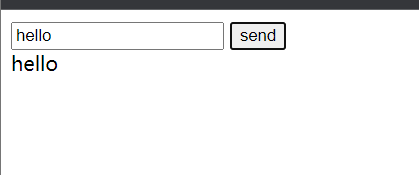
编写基于Flask的mp4分块流式传输前后端
Mp4视频文件相关信息的取得
- 使用 MediaSource 搭建流式播放器
- 参考2
- 参考3
- MP4文件具有几个关键的信息用于流式传输
- AVCProfileIndication
- profile_compability
- AVCLevelIndication
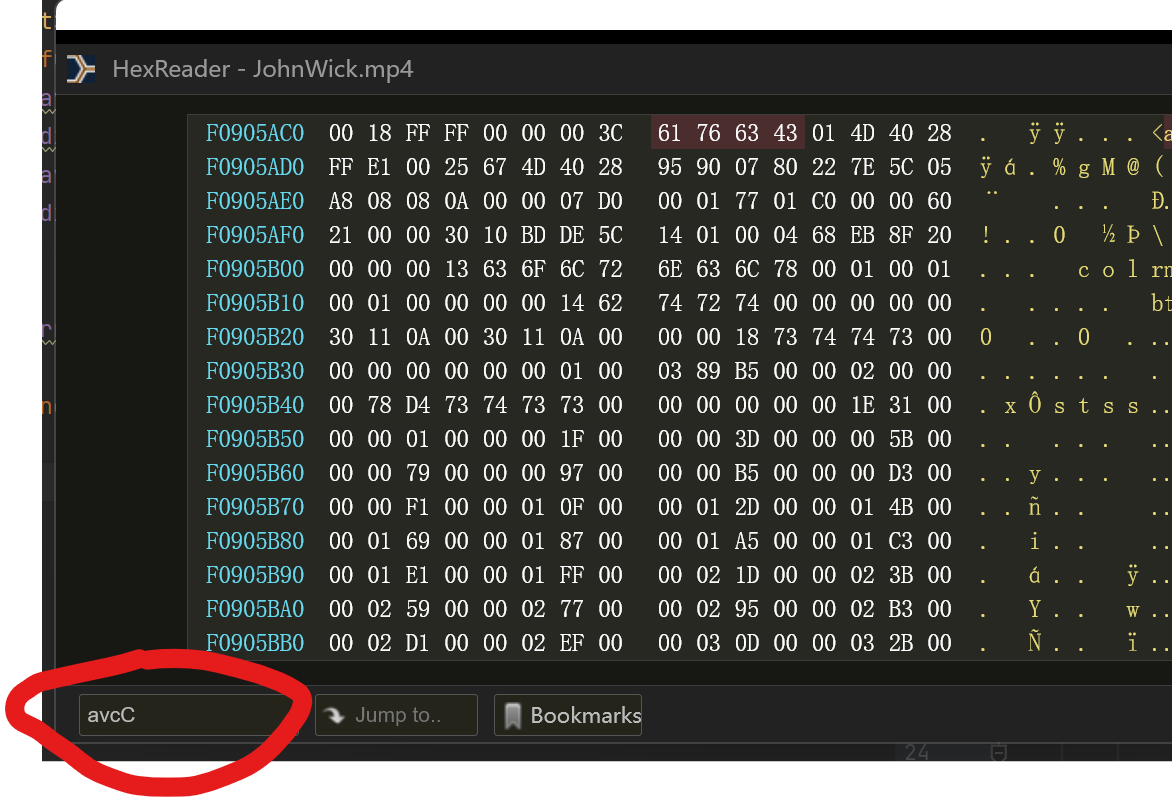
- 使用十六进制文件浏览器读取MP4文件,chrome有相关插件HexReader
- 打开之后搜索
avcC - 其后紧跟的第一个是
configurationVersion,后面三个就是AVCProfileIndication,profile_compatibility和AVCLevelIndication三个十六进制数字比如本文中是4D,40和28python读取部分文件并且使用生成器
- 参考
- 生成器参考
def chunked_file_reader(block_size=5*1024*1024):
    """生成器函数:分块读取文件内容
    """
    fp = open("文件地址", 'rb')
    while True:
        chunk = fp.read(block_size)
        # 当文件没有更多内容时,read 调用将会返回空字符串 ''
        if not chunk:
            break
        yield chunk
后端FLask和前端JS
- 参考
- 里面
mime部分需要利用上文的方法进行一定的修改 - 但是直接参考样例撰写会遇到问题如图(更正上述参数之后)
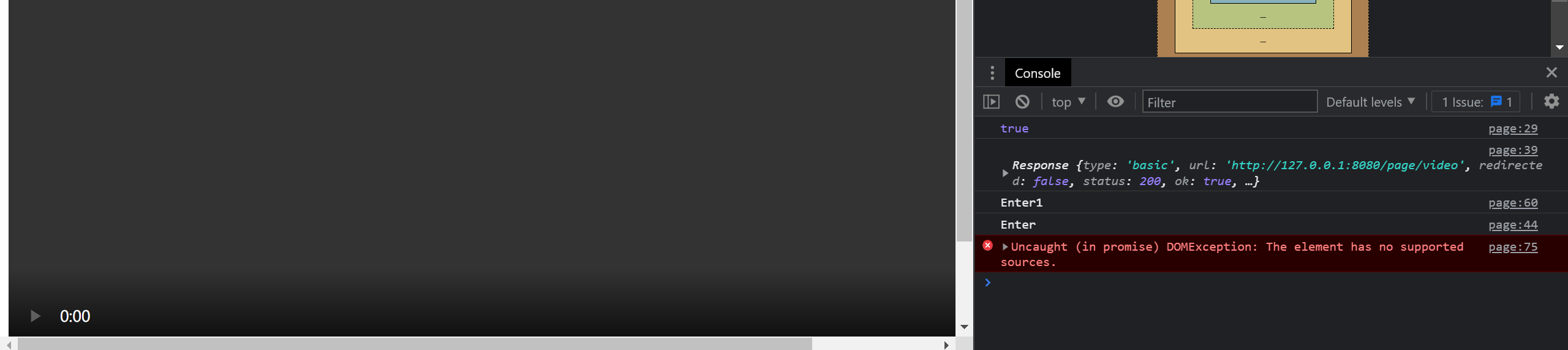
- video标签的一些性质
- Audio/Video的各种事件
- mediaSource参考
- fetch参考
- mediaSource中文详细参考 知乎
- 微软MSE教程(最终修改的基础)
- 一个全面的参考
- 最终仍然没有解决,可能是MP4格式不支持导致的
webm格式
比如网上例子中的
video/webm; codecs="vorbis,vp8"微软自带的剪辑工具(难用)
-
最终方案与代码逻辑
JS的代码分同步和异步执行,异步执行的代码在时间上与其他代码的先后顺序是独立的。
同步执行的代码可能因为多线程的原因,并、不是严格的按照前后顺序执行的,这可能导致一些问题
因此需要设法控制代码的执行时序和时机
setTimeOut是异步的sourceBuffer的appendBuffer也是异步的
通过事件和
addEventListener控制代码的执行顺序和时机执行顺序
video控件加载的时候
mediaSource触发sourceopen事件sourceopen实现对于initVideo的调用initVideo中添加对于SourceBuffer的updateend事件的监听,该事件表示buffer中append操作已经结束,可以进一步添加或者进行其他操作,通过这个事件监听器调用playSegment。这个事件发生的时候SourceBuffer的updating变为False表示添加完成为了应对某些场合因为
sourceBuffer满导致无法继续加载的情况,会将sourceBuffer中的内容全部删除,重新从需要的位置开始缓存加载,假如网速够快的话这个时间忽略不计,因为是从需要的位置开始加载的,一些技巧
可以在某个函数的调用函数中添加调用这个函数的事件监听器,同时在这个函数本身中删除调用这个函数的事件监听器,否则会导致这个函数在事件发生的时候被反复调用
系统自动提前调用了
endOfStream导致readyState变成ended,使得系统无法继续加载- 可能是视频源导致的
webm存在这类问题,但是mp4没有,然而mp4始终无法播放只能用webm,此时可以适当修改webm的trunk分割方式参考 - 可以将
sourceended事件对象log出来看下调用的时间和情况
- 可能是视频源导致的
appendBuffer之前要判断
!videoSource.updating && mediaSource.readyState === "open"否则也会报错async和await异步处理
-
前后端源代码(v2.0)
后端
from flask import Flask
from flask import request
from flask import make_response
from flask import send_from_directory
from flask import send_file
from flask import Response
import os
import json
# def chunked_file_reader(block_size=5 * 1024 * 1024):
# """生成器函数:分块读取文件内容
# """
# fp = open("F:/JohnWick.mp4", 'rb')
# while True:
# chunk = fp.read(block_size)
# # 当文件没有更多内容时,read 调用将会返回空字符串 ''
# if not chunk:
# break
# yield chunk
app = Flask(__name__)
i = 0
segmentNum = 10
def streamVideo():
global i
fileStr = "D:/selfLearning/pyTrunk/JW2.webm"
# fileStr = "D:/selfLearning/pyTrunk/JWSmall.mp4"
size = os.stat(fileStr).st_size
dataReceived = json.loads(request.get_data())
fpStart = dataReceived['current']
print("index is ", fpStart)
fpSeek = int(size / segmentNum * fpStart)
fp = open(fileStr, 'rb')
fp.seek(fpSeek)
chunk = fp.read((int)(size / segmentNum))
# streamFile = chunked_file_reader()
# print("page is loading...")
# i=i+1
# response = Response(chunk, content_type="video/webm")
# return response
return make_response(chunk)
def returnSegmentNum():
returnDict = {}
returnDict['segments'] = segmentNum
return json.dumps(returnDict)
def returnPage():
return send_from_directory('', 'mainNew.html')
# def count_chunks(fname):
# count = 0
# with open(fname, 'rb') as fp:
# for chunk in chunked_file_reader(fp):
# count += 1
# return count
if __name__ == '__main__':
# print(count_chunks("F:/JohnWick.mp4"))
app.run(host="0.0.0.0", port=8080)前端(基于微软MSE和其他修改得到)
<html lang="en">
<head>
<script src="https://apps.bdimg.com/libs/jquery/2.1.4/jquery.min.js"></script>
<meta charset="UTF-8">
<!-- <title>Title</title>-->
</head>
<body>
<!--<video id="video" width="1024" height="768" src="page/video"></video>-->
<div class="a">
<video id="video" width="1024" height="768" preload="auto" controls loop="true"></video>
<br>
<!-- <input id="range" type="range" min="0" step="1" max="100" value="0" width="1024px" onmouseup="dragRange()"></input>-->
</div>
<script>
videoElement = document.getElementById("video");
var videoSource;
var index = 0;
var bufferIndex = 0;
// segments = 0;
currentPos = 0;
numOfSeg = 0;
var curIndex;
file = "page/video";
function getNumOfSeg() {
var ret;
$.ajax({
type: "GET",
url: "page/video/segment",
success: function (data) {
var dict = JSON.parse(data);
console.log("dict:", dict['segments']);
window.numOfSeg = dict['segments'];
}
})
}
setInterval(function () {
console.log("video State is", videoElement.readyState);
// if(videoElement.readyState<3)
// {
// playSegment();
// }
}, 1000);
setupVideo();
function setupVideo() {
getNumOfSeg();
// clearLog(); // Clear console log
bufferIndex = 0;
// Create the media source
if (window.MediaSource) {
mediaSource = new window.MediaSource();
} else {
console.log("mediasource or syntax not supported");
return;
}
if (videoElement.src) {
URL.revokeObjectURL(videoElement.src);
}
var url = URL.createObjectURL(mediaSource);
videoElement.pause();
videoElement.src = url;
// videoElement.width = width;
// videoElement.height = height;
// Wait for event that tells us that our media source object is
// ready for a buffer to be added.
videoElement.addEventListener('load', handleVideoLoad);
mediaSource.addEventListener('sourceopen', toInit, false);
mediaSource.addEventListener('sourceended', handleSourceEnd);
// Handler to switch button text to Play
// videoElement.addEventListener("pause", function () {
// playButton.innerText = "Play";
// }, false);
//
// // Handler to switch button text to pause
// videoElement.addEventListener("playing", function () {
// playButton.innerText = "Pause";
// }, false);
// // Remove the handler for the timeupdate event
// videoElement.addEventListener("ended", function () {
// videoElement.removeEventListener("timeupdate", checkTime);
// }, false);
}
function toInit(e) {
try {
console.log("toInit")
videoSource = mediaSource.addSourceBuffer('video/webm; codecs="vorbis,vp8"');
// videoSource = mediaSource.addSourceBuffer('video/mp4; codecs="avc1.4D2029, mp4a.40.2"');
setTimeout(initVideo, 500);
} catch (e) {
console.log('Exception calling addSourceBuffer for video', e);
return;
}
}
function initVideo() {
fetch("page/video",
{
method: "POST",
body: JSON.stringify({'current': index}),
// responseType: 'blob'
}).then(function (response) {
console.log(response);
console.log("init", index);
// console.log(index);
// return response.arrayBuffer();
// return response.blob();
return response.arrayBuffer();
})
.then(function (response) {
try {
// videoSource.appendBuffer(new Uint8Array(response));
// var sourceBuffer = mediaSource.sourceBuffers[bufferIndex];
// sourceBuffer.appendBuffer(response);
videoSource.appendBuffer(response);
index++;
// videoElement.play();
// index+=1;
// Wait for the update complete event before continuing
// mediaSource.endOfStream();
// videoSource.addEventListener("updateend", updateFunct, false);
videoElement.addEventListener("timeupdate", getStarted);
videoElement.play().then(function () {
}).catch(function (err) {
console.log(err)
});
} catch (e) {
console.log(e);
}
});
}
function updateFunct() {
// This is a one shot function, when init segment finishes loading,
// update the buffer flag, call getStarted, and then remove this event.
// bufferUpdated = true;
// videoSource.removeEventListener("updateend", updateFunct, false);
// Now that video has started, remove the event listener
// videoSource.removeEventListener("update", updateFunct);
// console.log(("updating..."));
getStarted(); // Get video playback started
}
function getStarted() {
// Start by loading the first segment of media
// 根据现在的播放进度决定是否进行加载
window.curIndex = Math.ceil(videoElement.currentTime / mediaSource.duration * window.numOfSeg);
// console.log("timeupdate", curIndex);
// if (index - curIndex > 0&& !(mediaSource.readyState === "HAVE_METADATA")) {
// return;
// }
// if (!videoSource.updating && mediaSource.readyState === "open") {
// if (index >= window.numOfSeg) {
// // mediaSource.endOfStream();
// console.log("ended!");
// // console.log(videoSource.sourceBuffers[0].length)
// // videoElement.play();
// // videoSource.removeEventListener("updateend", updateFunct);
// return;
// }
// // playSegment();
//
// }
console.log("curIndex index", curIndex, index);
// console.log(videoElement.buffered);
if (index - curIndex < 1 && index < window.numOfSeg) {
// console.log("updating");
setTimeout(playSegment, 100);
setTimeout(updateFunct, 300);
} else if (curIndex - index < -1 && (videoElement.readyState < 3)) {
videoElement.removeEventListener("timeupdate", getStarted);
setTimeout(handleVideoLoad, 50);
return;
}
// Start showing video time
// requestId = window.requestAnimationFrame(render);
// Display current index
// curIndex.textContent = index + 1;
// bufferIndex++;
// Continue in a loop where approximately every x seconds reload the buffer
// videoElement.addEventListener("timeupdate", fileChecks, false);
// videoSource.addEventListener("updateend", updateFunct, false);
}
function handleVideoLoad() {
// index = curIndex < 1 ? curIndex : curIndex - 1;
// mediaSource.removeSourceBuffer(videoSource);
// setTimeout(function (){window.videoSource = mediaSource.addSourceBuffer('video/webm; codecs="vorbis,vp8"');index = 0;}, 500);
// index = 0;
// index = curIndex < 1 ? curIndex : curIndex - 1;
console.log("handing source load");
// index = curIndex-1;
// if(index<numOfSeg-1)
// videoSource.remove((index+1)*mediaSource.duration/numOfSeg, mediaSource.duration);
// setTimeout(function (){videoSource.remove(0, index*mediaSource.duration/numOfSeg);index = 0;}, 200);
// index = 0;
setTimeout(function (){videoSource.remove(0, mediaSource.duration);index = curIndex-1;}, 200);
setTimeout(playSegment, 400);
setTimeout(function (){videoElement.addEventListener("timeupdate", getStarted)},600)
}
function handleSourceEnd()
{
// console.log("replaying, remove", 0, mediaSource.duration);
console.log("handling source end");
var prevTme = videoElement.currentTime;
index = 0;
// videoSource.remove(0, videoElement.duration);
// mediaSource.removeSourceBuffer(videoSource);
window.mediaSource = new MediaSource();
URL.revokeObjectURL(videoElement.src);
videoElement.src = URL.createObjectURL(mediaSource);
videoElement.currentTime = prevTme;
mediaSource.addEventListener('sourceopen', toInit, false);
mediaSource.addEventListener('sourceended', handleSourceEnd);
}
function playSegment() {
fetch("page/video",
{
method: "POST",
body: JSON.stringify({'current': index}),
// responseType: 'blob'
}).then(function (response) {
// console.log(response);
// return response.arrayBuffer();
// return response.blob();
return response.arrayBuffer();
})
.then(function (response) {
try {
console.log("loading: ", index);
function stampAndAppend() {
console.log("ready to append");
// mediaSource.endOfStream();
// function setTimeOffset()
// {
// // if (!videoSource.updating && mediaSource.readyState === 'open')
// // videoSource.timestampOffset = index * 7;
// return 0;
// }
// console.log(videoElement.error);
videoSource.appendBuffer(response);
console.log(videoElement.error);
// videoSource.endOfStream();
// videoElement.click();
// videoSource.removeEventListener("update", stampAndAppend);
console.log("buffer appended")
index++;
return 0;
// console.log("duration:", videoSource.duration)
}
console.log(mediaSource.readyState);
if (!videoSource.updating && mediaSource.readyState === "open") {
console.log(mediaSource.duration);
console.log(videoElement.currentTime);
stampAndAppend();
// setTimeout(stampAndAppend, Math.floor(mediaSource.duration / numOfSeg / 2 * 1000));
// stampAndAppend();
}
// videoSource.addEventListener("update", stampAndAppend);
// var sourceBuffer = mediaSource.sourceBuffers[mediaSource.sourceBuffers.length-1];
// // while(mediaSource.sourceBuffers.updating){}
// sourceBuffer.appendBuffer(response);
// bufferIndex++;
// videoElement.play();
// Wait for the update complete event before continuing
// videoSource.addEventListener("update", updateFunct, false);
// var buffer = mediaSource.addSourceBuffer('video/webm; codecs="vorbis,vp8"');
// buffer.appendBuffer(response);
} catch (e) {
console.log(e);
// console.log(mediaSource.error);
}
});
}
// player.load();
// console.log("loading");
</script>
<br>
<!--<input id="range" type="range" min="0" step="1" max="100" value="0" width="1024px"></input>-->
<!--<button onclick="reloadVideo()">reload</button>-->
<script>
// function reloadVideo() {
// player = document.getElementById("video");
// // setVideoLoad();
// player.load();
// player.play();
// console.log("reloading...");
// }
//
// reloadVideo();
// setVideoLoad();
</script>
<!-- <button id="pause">pause</button>-->
</body>
</html>
<script>
player = document.getElementById("video");
// player.onclick = function pauseAndPlay() {
// console.log("clicked!")
// if (player.paused) {
// player.play()
// } else {
// player.pause()
// }
// }
</script>
<script>
// range = document.getElementById("range");
//
// function refreshRange() {
// range.innerHTML = currentPos;
// }
//
// setInterval(function () {
// refreshRange();
// }, 1000);
</script> 还是存在很多问题,比如
sourceend经常被莫名触发,导致整个重新加载,推测是ffmpeg转码为webm的时候出现问题,但是难以找到正确结果

最终效果
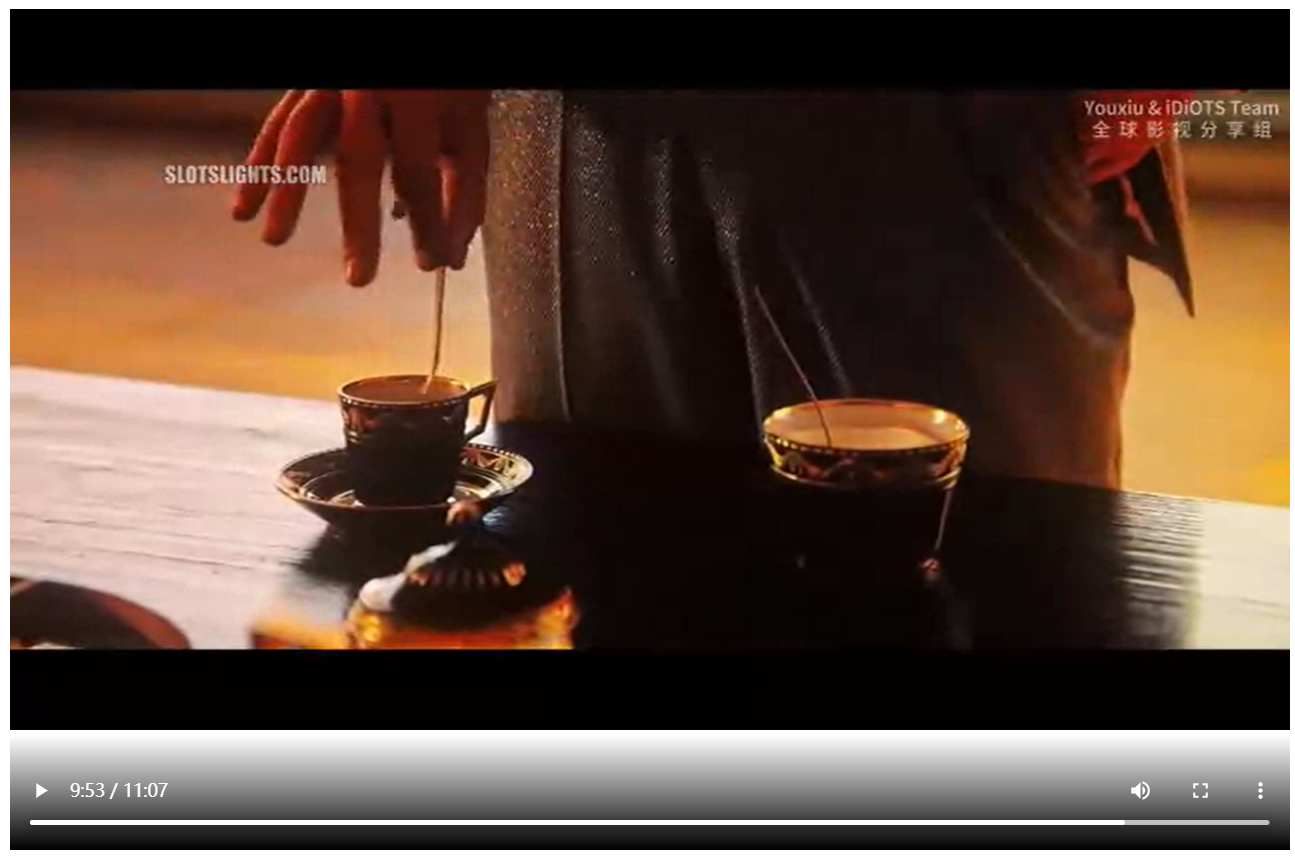
- 进度条可以拖动
ffmpeg用法
- 下载
- 转换webm参考
- ffmpeg命令参考
- ffmpeg官方文档
- 参考命令
./ffmpeg.exe -threads 12 -i D:\selfLearning\pyTrunk\JW2.mp4 -vcodec vp8 -acodec libvorbis -b:v 0 -crf 30 D:\selfLearning\pyTrunk\JW2.webm- 其中
-crf指定的是质量系数,越小质量越高
- 其中
- MediaSource 仅支持使用 MPEG-DASH 编码的 MP4 文件,或集群以关键帧开头的 WebM 文件(否则会引发错误:媒体片段未以关键帧开头)
- mp4控制关键帧间隔:
-g参数,以及-keyint_min参数 - 注意,将mp4转换为fmp4文件是根据关键帧划分的,参考
前端 v3.0
- 将通过
timeupdate判断是否往回拖动了进度条改为了通过video节点的updating事件判断(注意使用updated判断的时候有时候因为没有加载出来导致卡死)
<html lang="en">
<head>
<script src="https://apps.bdimg.com/libs/jquery/2.1.4/jquery.min.js"></script>
<meta charset="UTF-8">
<!-- <title>Title</title>-->
</head>
<body>
<!--<video id="video" width="1024" height="768" src="page/video"></video>-->
<div class="a">
<video id="video" width="1024" height="768" preload="auto" controls loop="true"></video>
<br>
<!-- <input id="range" type="range" min="0" step="1" max="100" value="0" width="1024px" onmouseup="dragRange()"></input>-->
</div>
<script>
videoElement = document.getElementById("video");
var videoSource;
var index = 0;
var bufferIndex = 0;
// segments = 0;
currentPos = 0;
numOfSeg = 0;
var curIndex;
file = "page/video";
var mime = 'video/webm; codecs="vorbis,vp8"'
// var mime = 'video/mp4; codecs="avc1.64001F, mp4a.40.2"'
function getNumOfSeg() {
var ret;
$.ajax({
type: "GET",
url: "page/video/segment",
success: function (data) {
var dict = JSON.parse(data);
console.log("dict:", dict['segments']);
window.numOfSeg = dict['segments'];
}
})
}
setInterval(function () {
console.log("video State is", videoElement.readyState);
// if(videoElement.readyState<3)
// {
// playSegment();
// }
}, 1000);
setupVideo();
function setupVideo() {
getNumOfSeg();
// clearLog(); // Clear console log
bufferIndex = 0;
// Create the media source
if (window.MediaSource) {
mediaSource = new window.MediaSource();
} else {
console.log("mediasource or syntax not supported");
return;
}
if (videoElement.src) {
URL.revokeObjectURL(videoElement.src);
}
var url = URL.createObjectURL(mediaSource);
videoElement.pause();
videoElement.src = url;
// videoElement.width = width;
// videoElement.height = height;
// Wait for event that tells us that our media source object is
// ready for a buffer to be added.
videoElement.addEventListener('seeking', handleSeek);
mediaSource.addEventListener('sourceopen', toInit, false);
mediaSource.addEventListener('sourceended', handleSourceEnd);
// Handler to switch button text to Play
// videoElement.addEventListener("pause", function () {
// playButton.innerText = "Play";
// }, false);
//
// // Handler to switch button text to pause
// videoElement.addEventListener("playing", function () {
// playButton.innerText = "Pause";
// }, false);
// // Remove the handler for the timeupdate event
// videoElement.addEventListener("ended", function () {
// videoElement.removeEventListener("timeupdate", checkTime);
// }, false);
}
function toInit(e) {
try {
console.log("toInit")
videoSource = mediaSource.addSourceBuffer(mime);
// videoSource = mediaSource.addSourceBuffer('video/mp4; codecs="avc1.4D2029, mp4a.40.2"');
setTimeout(initVideo, 500);
} catch (e) {
console.log('Exception calling addSourceBuffer for video', e);
return;
}
}
function initVideo() {
fetch("page/video",
{
method: "POST",
body: JSON.stringify({'current': index}),
// responseType: 'blob'
}).then(function (response) {
// console.log(response);
console.log("init", index);
// console.log(index);
// return response.arrayBuffer();
// return response.blob();
return response.arrayBuffer();
})
.then(function (response) {
try {
// videoSource.appendBuffer(new Uint8Array(response));
// var sourceBuffer = mediaSource.sourceBuffers[bufferIndex];
// sourceBuffer.appendBuffer(response);
videoSource.appendBuffer(response);
index++;
// videoElement.play();
// index+=1;
// Wait for the update complete event before continuing
// mediaSource.endOfStream();
// videoSource.addEventListener("updateend", updateFunct, false);
videoElement.addEventListener("timeupdate", getStarted);
videoElement.play().then(function () {
}).catch(function (err) {
console.log(err)
});
} catch (e) {
console.log(e);
}
});
}
function updateFunct() {
// This is a one shot function, when init segment finishes loading,
// update the buffer flag, call getStarted, and then remove this event.
// bufferUpdated = true;
// videoSource.removeEventListener("updateend", updateFunct, false);
// Now that video has started, remove the event listener
// videoSource.removeEventListener("update", updateFunct);
// console.log(("updating..."));
getStarted(); // Get video playback started
}
function getStarted() {
// Start by loading the first segment of media
// 根据现在的播放进度决定是否进行加载
window.curIndex = Math.ceil(videoElement.currentTime / mediaSource.duration * window.numOfSeg);
console.log("curIndex index", curIndex, index);
// console.log(videoElement.buffered);
if (index - curIndex < 1 && index < window.numOfSeg) {
// console.log("updating");
setTimeout(playSegment, 100);
setTimeout(updateFunct, 300);
} else if (curIndex - index < -1 && (videoElement.readyState < 3)) {
// videoElement.removeEventListener("timeupdate", getStarted);
// setTimeout(handleVideoLoad, 50);
// return;
}
// Start showing video time
// requestId = window.requestAnimationFrame(render);
// Display current index
// curIndex.textContent = index + 1;
// bufferIndex++;
// Continue in a loop where approximately every x seconds reload the buffer
// videoElement.addEventListener("timeupdate", fileChecks, false);
// videoSource.addEventListener("updateend", updateFunct, false);
}
function handleSeek()
{
console.log("handling seek");
if(index - curIndex<1)
{
return;
}
else if(videoElement.readyState<3)
{
console.log("seek to handle load");
videoElement.removeEventListener("timeupdate", getStarted);
setTimeout(handleVideoLoad, 200);
}
}
function handleVideoLoad() {
// index = curIndex < 1 ? curIndex : curIndex - 1;
// mediaSource.removeSourceBuffer(videoSource);
// setTimeout(function (){window.videoSource = mediaSource.addSourceBuffer('video/webm; codecs="vorbis,vp8"');index = 0;}, 500);
// index = 0;
// index = curIndex < 1 ? curIndex : curIndex - 1;
console.log("handing source load");
// index = curIndex-1;
// if(index<numOfSeg-1)
// videoSource.remove((index+1)*mediaSource.duration/numOfSeg, mediaSource.duration);
// setTimeout(function (){videoSource.remove(0, index*mediaSource.duration/numOfSeg);index = 0;}, 200);
// index = 0;
setTimeout(function (){videoSource.remove(0, (index>0?index-1:index)*mediaSource.duration/window.numOfSeg);index = curIndex-1;}, 200);
setTimeout(playSegment, 400);
setTimeout(function (){videoElement.addEventListener("timeupdate", getStarted)},600)
}
function handleSourceEnd()
{
// console.log("replaying, remove", 0, mediaSource.duration);
console.log("handling source end");
var prevTme = videoElement.currentTime;
index = 0;
// videoSource.remove(0, videoElement.duration);
// mediaSource.removeSourceBuffer(videoSource);
window.mediaSource = new MediaSource();
URL.revokeObjectURL(videoElement.src);
videoElement.src = URL.createObjectURL(mediaSource);
videoElement.currentTime = prevTme;
mediaSource.addEventListener('sourceopen', toInit, false);
mediaSource.addEventListener('sourceended', handleSourceEnd);
}
function playSegment() {
fetch("page/video",
{
method: "POST",
body: JSON.stringify({'current': index}),
// responseType: 'blob'
}).then(function (response) {
// console.log(response);
// return response.arrayBuffer();
// return response.blob();
return response.arrayBuffer();
})
.then(function (response) {
try {
console.log("loading: ", index);
function stampAndAppend() {
console.log("ready to append");
// mediaSource.endOfStream();
// function setTimeOffset()
// {
// // if (!videoSource.updating && mediaSource.readyState === 'open')
// // videoSource.timestampOffset = index * 7;
// return 0;
// }
// console.log(videoElement.error);
videoSource.appendBuffer(response);
console.log(videoElement.error);
// videoSource.endOfStream();
// videoElement.click();
// videoSource.removeEventListener("update", stampAndAppend);
console.log("buffer appended")
index++;
return 0;
// console.log("duration:", videoSource.duration)
}
console.log(mediaSource.readyState);
if (!videoSource.updating && mediaSource.readyState === "open") {
console.log(mediaSource.duration);
console.log(videoElement.currentTime);
stampAndAppend();
// setTimeout(stampAndAppend, Math.floor(mediaSource.duration / numOfSeg / 2 * 1000));
// stampAndAppend();
}
// videoSource.addEventListener("update", stampAndAppend);
// var sourceBuffer = mediaSource.sourceBuffers[mediaSource.sourceBuffers.length-1];
// // while(mediaSource.sourceBuffers.updating){}
// sourceBuffer.appendBuffer(response);
// bufferIndex++;
// videoElement.play();
// Wait for the update complete event before continuing
// videoSource.addEventListener("update", updateFunct, false);
// var buffer = mediaSource.addSourceBuffer('video/webm; codecs="vorbis,vp8"');
// buffer.appendBuffer(response);
} catch (e) {
console.log(e);
// console.log(mediaSource.error);
}
});
}
// player.load();
// console.log("loading");
</script>
<br>
<!--<input id="range" type="range" min="0" step="1" max="100" value="0" width="1024px"></input>-->
<!--<button onclick="reloadVideo()">reload</button>-->
<script>
// function reloadVideo() {
// player = document.getElementById("video");
// // setVideoLoad();
// player.load();
// player.play();
// console.log("reloading...");
// }
//
// reloadVideo();
// setVideoLoad();
</script>
<!-- <button id="pause">pause</button>-->
</body>
</html>
<script>
player = document.getElementById("video");
// player.onclick = function pauseAndPlay() {
// console.log("clicked!")
// if (player.paused) {
// player.play()
// } else {
// player.pause()
// }
// }
</script>
<script>
// range = document.getElementById("range");
//
// function refreshRange() {
// range.innerHTML = currentPos;
// }
//
// setInterval(function () {
// refreshRange();
// }, 1000);
</script>
Linux开机tty自动登录
- todo
手动给Debian安装xfce桌面记录
安装桌面
sudo apt install xfce4-session- 然后执行,报错
exec :xinit :not found - 然后执行
sudo apt install xinit xserver-xorg - 报错
Failed to execute child process "dbus-launch"(图形界面报错) - 执行
sudo apt install dbus-x11 - 但是此时再执行
startxfce4出现黑屏,无响应,无光标 - 假如无法通过键盘切换回tty,可以用ssh远程控制命令行关闭桌面
- 关闭桌面的命令是
killall xfce4-session - 查找进程:
ps -ef - 意外可以使用的方法
sudo apt-get install xorg slim xfce4,但是缺失了一些功能一些shell技巧
|:输入了如下指令:command0 | command1,则command0的输出流入到command1中||:与&&的作用正好相反,是在执行到成功的指令时停止后续指令的执行。command0 || command1,如果command0执行成功,则command1不再执行。如果command0执行失败,则继续执行command1&:输入了如下指令:command0 &,则执行command0并使其进入后台&&:输入了如下指令:command0 && command1,则先从command0开始执行。如果command0执行失败,则不再继续执行command1。如果执行command0执行成功,则继续执行command1。
所以,&&的作用是在执行到失败的指令时停止后续指令的执行。
手动修复桌面反复登录(登不进去)以及开机自启桌面
删除桌面管理器
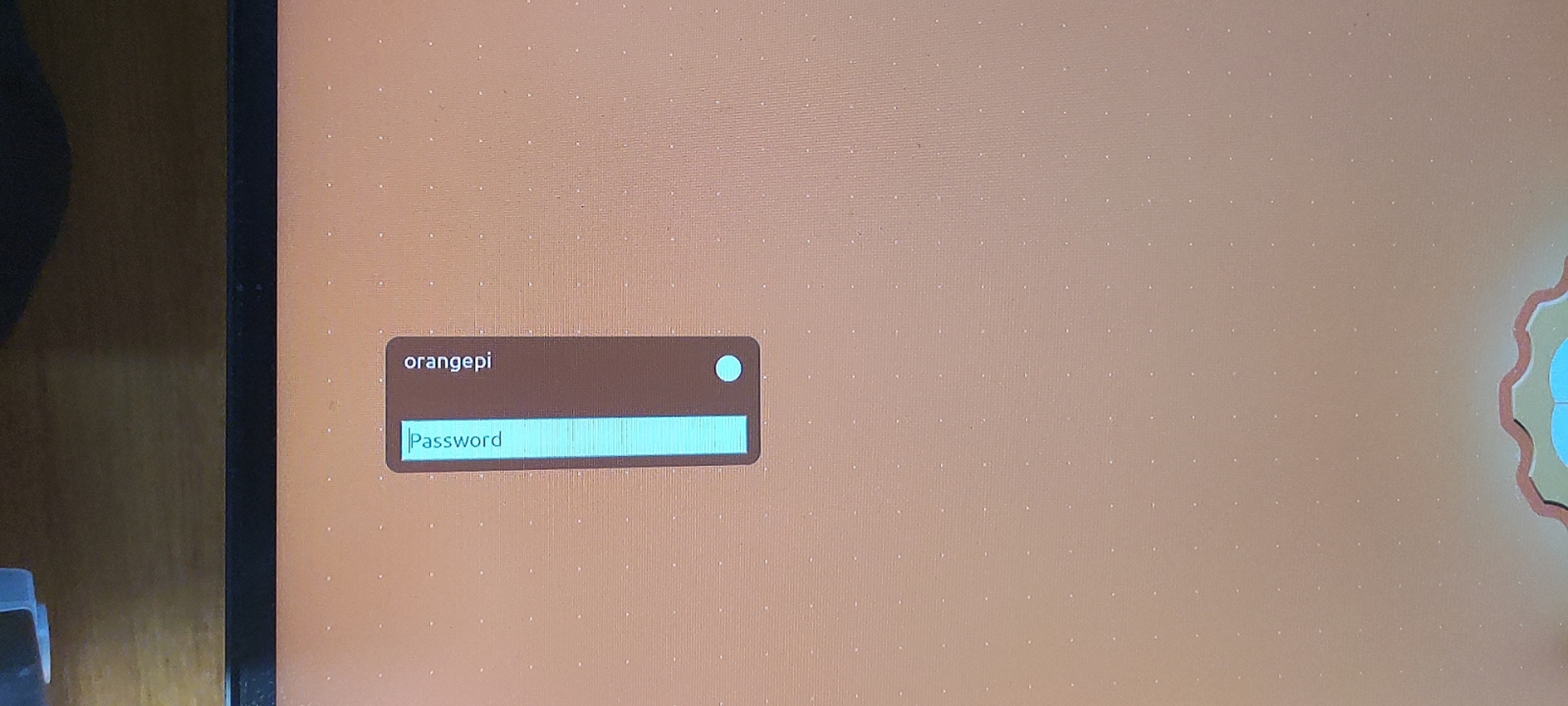
- 可能遇到在这个界面反复登录进不去或者进去之后一个黑色光标左上角反复跳动无限循环的情况
- 此时可能需要手动删除掉原先的桌面管理器。使用
Ctrl+alt+F2切换到TTY,删除比如lightdm,直接sudo purge lightdm,假如提示被占用的话,使用skill+进程号终止即可重装桌面
- 删除原来的桌面,然后安装一个新的(比如
xfce4)使用sudo apt install xfce4 sfce4-terminal设置开机自启动
- 在
/etc/rc.local中添加一句话startxfce4即可 - 然后实现开机自动进入桌面环境
- 注意,开机启动无论是在service中还是在rc.local中,都是以root身份启动的
Linux交叉编译


 下面那个下寻找,上面大多都是32位arm

Linux使用环境变量无需路径执行自己的程序

解决因为重刷系统导致的key校验不通过VSCode无法远程Linux
- 查看文件
C:\\Users\\用户名/.ssh/known_hosts - 删除对应IP地址对应的key
- 然后即可像连接没链接过的机器一样链接,不会报错