多进程库及其API
import multiprocessing# 创建进程
Process(主函数)
# 注意调用的时候使用
multiprocessing.Process(target=worker)
# 启动进程
process.start()
# 回收进程(阻塞)
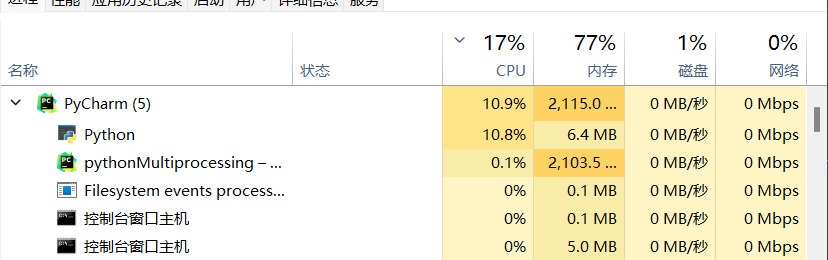
process.join()注意,在实验过程中多进程和单进程方式执行程序,消耗的总时间几乎没有区别,同时从任务管理器上可以看出,python并没有创建真正意义上的多个进程
推测仍然是利用并发而不是并行实现的
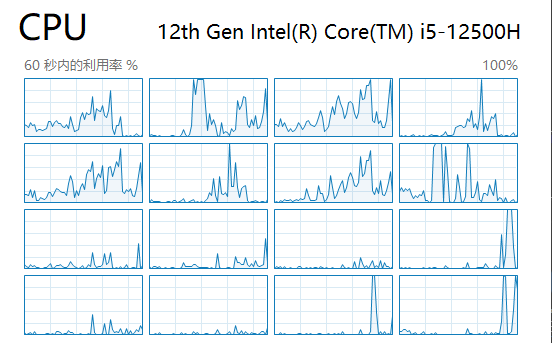
- CPU端也没有明显看到多CPU并行计算的痕迹
time.thread_time和time.process_time都是Python中time模块中的函数。thread_time函数返回当前线程的系统和用户CPU时间之和(以秒为单位)。它不包括睡眠期间经过的时间,因此它是线程特定的。而process_time函数返回当前进程的系统和用户CPU时间之和(以秒为单位)。这两个函数都可以用来测量代码执行的性能,但它们所测量的对象不同:一个是线程,另一个是进程time.perf_counter是Python中time模块中的一个函数,它返回一个性能计数器的值(以秒为单位)。这个计数器具有最高可用的分辨率,用于测量短时间内的时间。它包括睡眠期间经过的时间,并且是系统范围内的。返回值的参考点是未定义的,因此只有连续调用之间的结果差异是有效的。您可以使用这个函数来测量代码执行的性能。time.time()是Python中time模块的一个函数,它返回当前时间的时间戳(以1970年1月1日00:00:00为起点的秒数)。这个时间戳表示从1970年1月1日00:00:00(UTC)到当前时间经过的秒数,通常不包括闰秒进程间通信(套接字)
因为单纯的使用python并无法实现真正的多进程并行计算,因此需要使用多个程序分开运行,之间通过
socket套接字通信python中启动另一个(真正意义上的)进程
使用
subprocess库subprocess.run(['python', './localClient.py'], close_fds=True)
其中
close_fds=True的作用是防止子进程继承父进程的文件描述符导致出现不可预知的问题(比如socket无法链接等)windows下无法使用
os库的os.fork()创建子进程进程与子进程之间通过套接字通信
# localServer.py
import socket
import time
import os
import subprocess
import multiprocessing

def startClient():
    print("proc Start")
    subprocess.run(['python', './localClient.py'], close_fds=True)
    # print(result.stdout.decode("utf-8"))

if __name__ == "__main__":
    server = socket.socket()
    host = socket.gethostname()
    port = 11111
    print("server on ", host)
    server.bind((host, port))
    # 在这个端口等待链接
    server.listen(2)
    print("Waiting... ")

    proc = multiprocessing.Process(target=startClient)
    proc.start()

    # while True:
    client, addr = server.accept()
    time.sleep(1)
    b = bytes("hello", "utf-8")
    client.send(b)
    rec = client.recv(5)
    print("server time stamp: %f" % time.time())
    print("Server rec: ", rec.decode("utf-8"))
    proc.join()
# localClient.py
import socket
import time

print("client running")

client = socket.socket()
host = socket.gethostname()
port = 11111
print("Trying to connect...on ", host)
time.sleep(0.5)
client.connect((host, port))
print(client.recv(5).decode("utf-8"))
time.sleep(2)
b = bytes("hello", "utf-8")
client.send(b)
print("client time stamp: %f"%time.time())
真正的多进程测试
from multiprocessing import Process, Queue
import subprocess
import time
def calcFunc(cnt, id):
    subprocess.run(['python', './calcProc.py', str(cnt), str(id)])

if __name__ == "__main__":
    cnt = round(5e8)
    proLen = 10
    proArr = []
    for i in range(proLen):
        proArr.append(Process(target=calcFunc, args = (cnt, i)))
    start = time.time()
    for i in range(proLen):
        proArr[i].start()
    for i in range(proLen):
        proArr[i].join()
    end = time.time()
    print("Time of main thread: %f"%(end-start))
测试过程
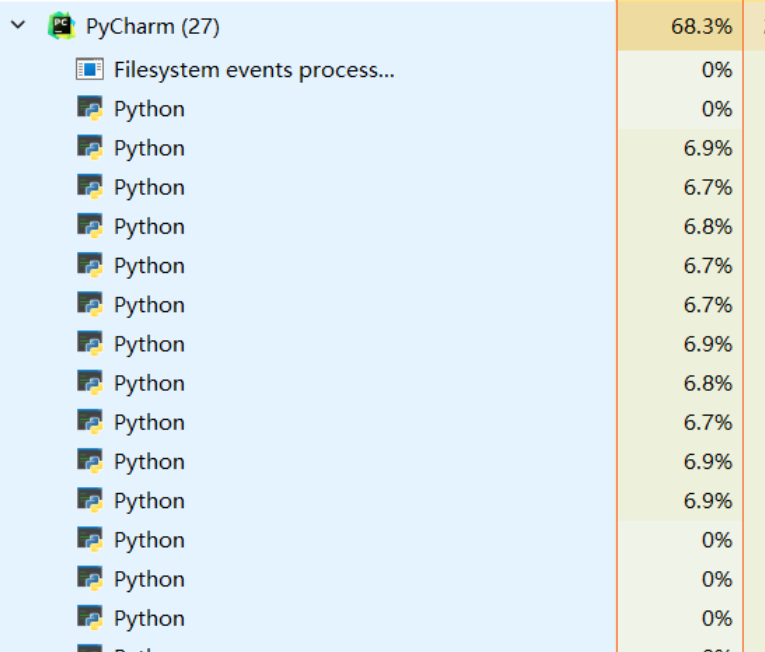
- 可见是真的创建了很多进程
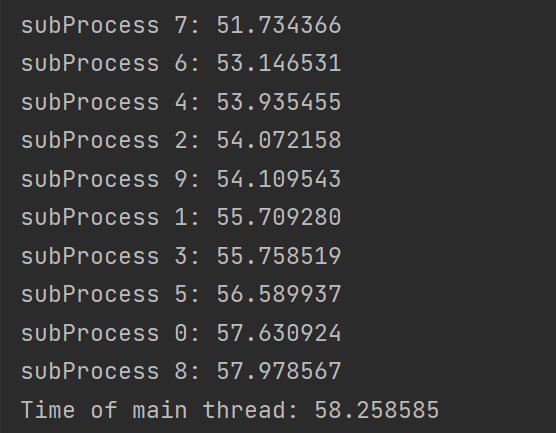
- 以上是使用
time.time()计时的结果, 可见主进程使用的时间跟任何一个计算进程相当
- 以上是使用
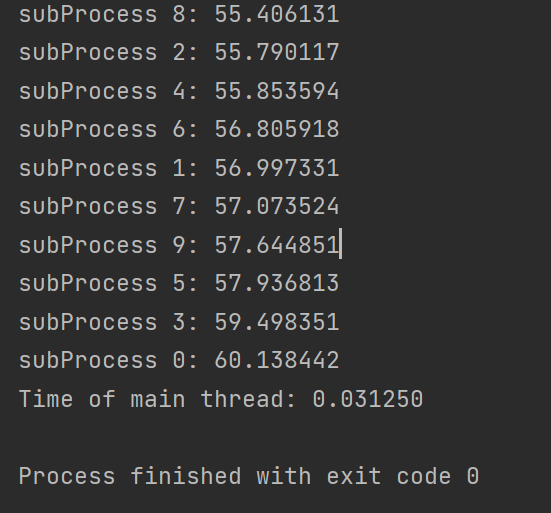
- 以上使用
time.process_time()的计时结果,可见计时出现了一些问题
- 以上使用
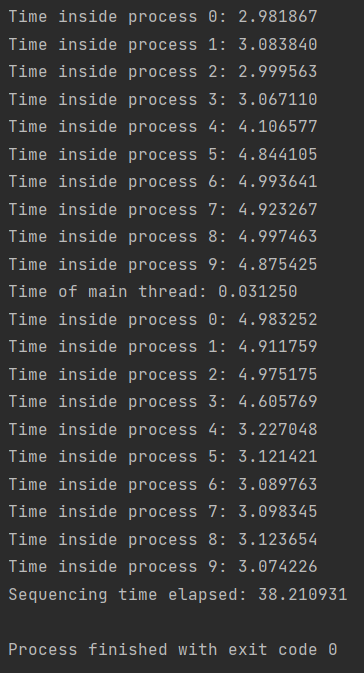
- 在主进程中的顺序执行结果为
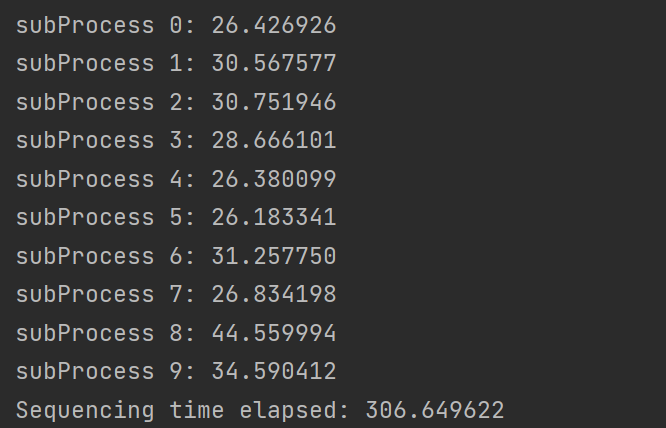
- 可见执行的时间很长,但是其中单个进程的执行时间较短
多个父进程与子进程通过套接字通信
# 主进程 |
# 子进程 |
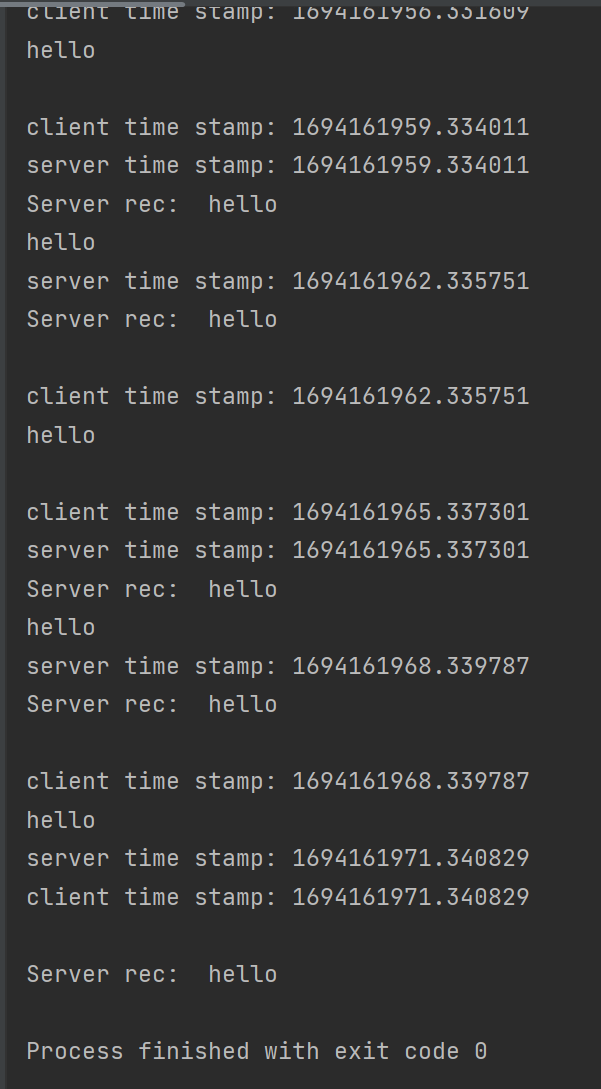
- 运行效果