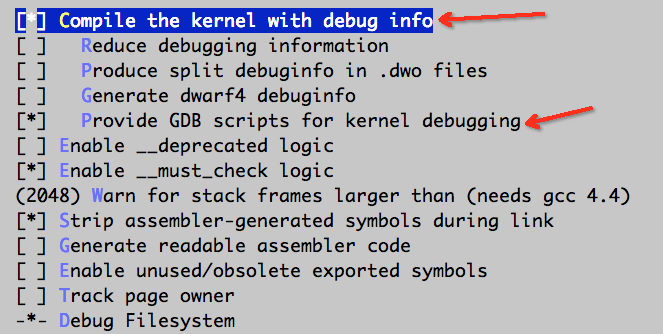
修改Linux内核编译选项
- 参考
- 注意 这个选项可能找不到
- 还需要修改
menuconfig中的一个设置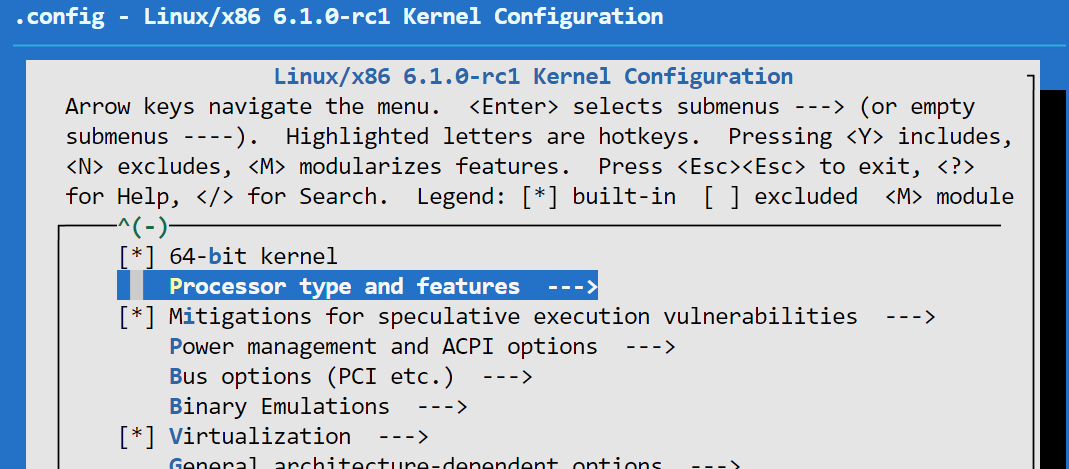
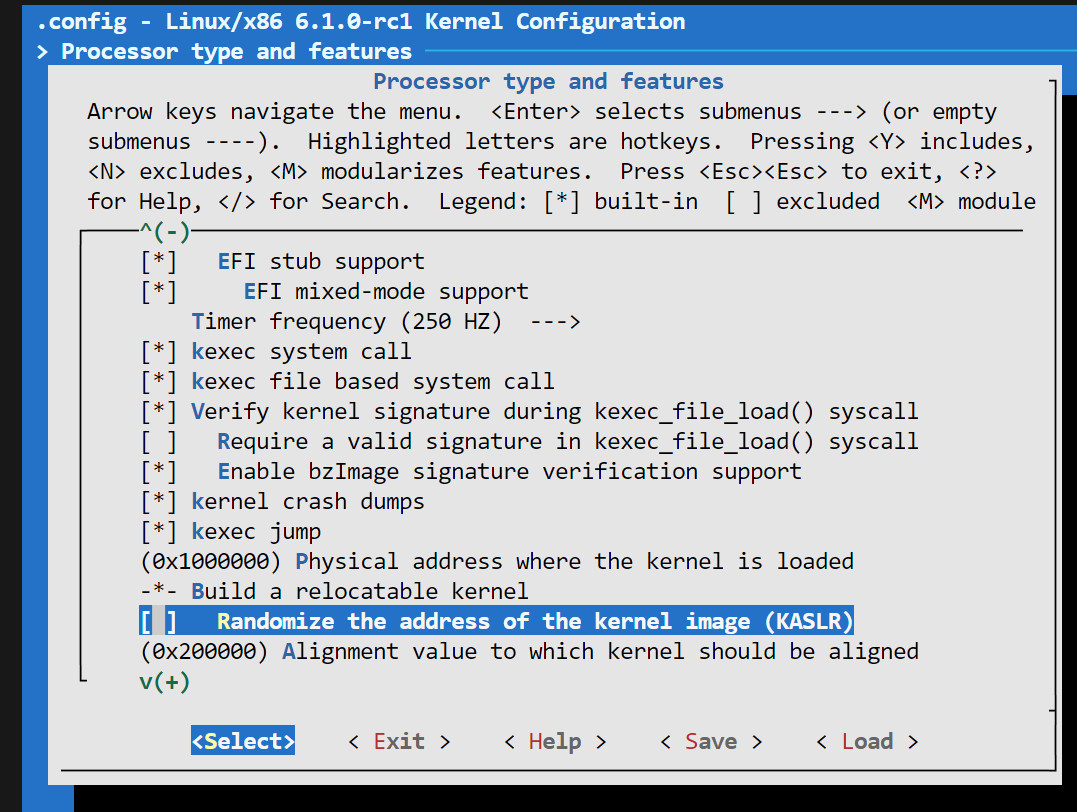
- 关闭下面这一条,否则也无法实现在规定的断点位置停下
进入内核
- 使用qemu执行如下命令
qemu-system-x86_64 -s -S \
-netdev "user,id=eth0" \
-device "e1000,netdev=eth0" \
-object "filter-dump,id=eth0,netdev=eth0,file=dump.dat" \
-kernel $kernel_image \
-append "root=/dev/am rdinit=sbin/init ip=10.0.2.15::10.0.2.1:255.255.255.0 console=ttyS0" \
-nographic \
-initrd $rootfs_img -s参数表示在1234端口接受GDB调试,-S参数表示冻结CPU直到远程GDB输入相应命令- 然后输入
gdb vmlinux target remote localhost:1234- 然后
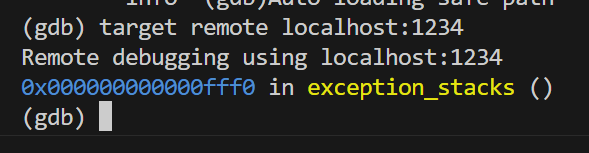
- 然后输入
continue或c继续执行gdb的使用

b <函数名>在函数位置设置断点
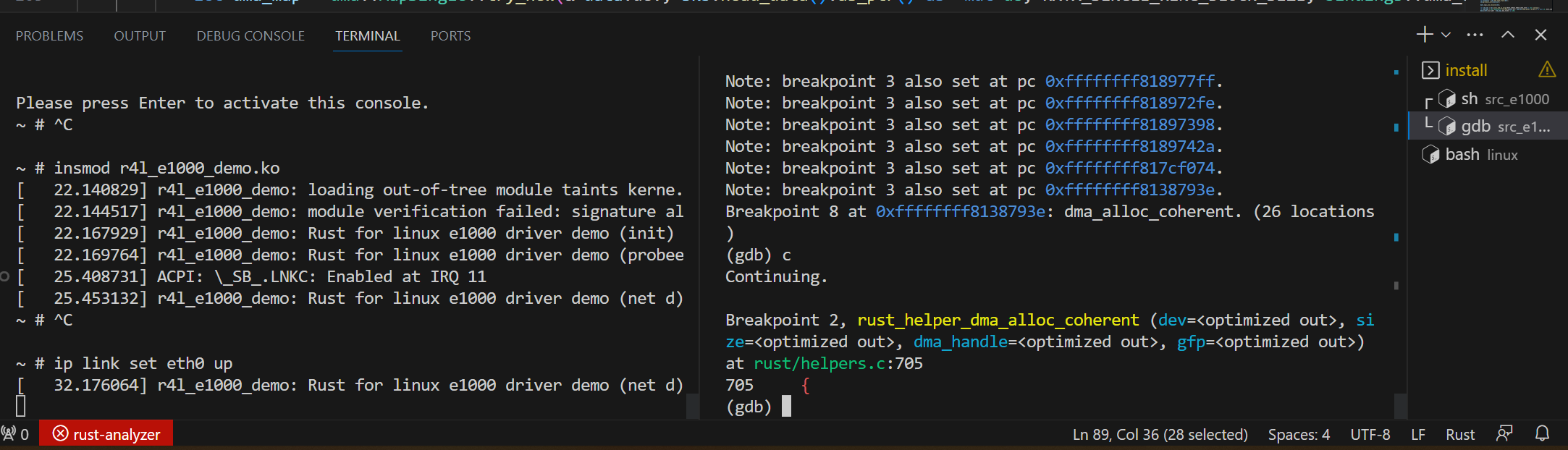
- 使用
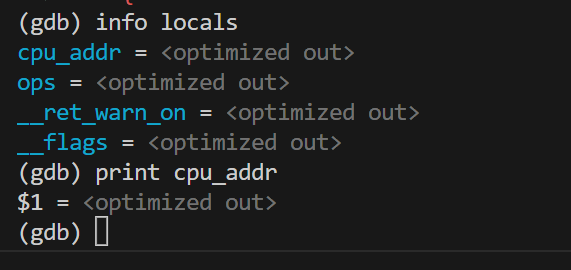
step单步执行 info locals显示当前环境的局部变量info args显示函数的传入参数等等- 有时候一些变量会因为编译过程中被优化掉了导致无法查看,显示为
<optimized out> - 可以通过设置为
volatile或者防止优化改变上述状况一些内核调试经验
warning trace
- 如下的trace
[  111.555855] ------------[ cut here ]------------
[  111.560683] WARNING: CPU: 0 PID: 129 at kernel/dma/mapping.c:533 dma_free_attrs+0x4a/0x60
[  111.562335] Modules linked in: r4l_e1000_demo(OE)
[  111.563461] CPU: 0 PID: 129 Comm: ip Tainted: G        W  OE      6.1.0-rc1 #38
[  111.564123] Hardware name: QEMU Standard PC (i440FX + PIIX, 1996), BIOS 1.15.0-1 04/01/2014
[  111.564595] RIP: 0010:dma_free_attrs+0x4a/0x60
[  111.565445] Code: 40 00 a9 00 02 00 00 74 21 48 85 d2 74 13 4d 85 c9 74 10 4d 8b 59 10 4d 85 db 74 05 e8 ef c0
[  111.566470] RSP: 0018:ffffc90000673a80 EFLAGS: 00000046
[  111.567058] RAX: 0000000000000046 RBX: ffff88800425a0d0 RCX: 000000000608b000
[  111.567506] RDX: ffff88800608b000 RSI: 0000000000000080 RDI: ffff88800425a0d0
[  111.568004] RBP: ffffc90000673a80 R08: 0000000000000000 R09: 0000000000000000
[  111.568556] R10: ffffffff82ab6ff0 R11: ffffffff818fa860 R12: 0000000000000080
[  111.569160] R13: 0000000000000041 R14: 000000000608b000 R15: ffff88800608b000
[  111.569613] FS:  00000000024fa3c0(0000) GS:ffff888007600000(0000) knlGS:0000000000000000
[  111.570234] CS:  0010 DS: 0000 ES: 0000 CR0: 0000000080050033
[  111.570839] CR2: 00000000005305a1 CR3: 0000000006068000 CR4: 00000000000006f0
[  111.571537] Call Trace:
[  111.572137]  <TASK>
[  111.573023]  rust_helper_dma_free_coherent+0x3c/0x50
[  111.573691]  _RINvNtCs3yuwAp0waWO_4core3ptr13drop_in_placeINtNtCsa5tTp5JGY9w_14r4l_e1000_demo8ring_buf7RingBu]
[  111.574911]  ? _RNvXs4_NtNtNtCs3yuwAp0waWO_4core3fmt3num3impxNtB9_7Display3fmt+0x30/0x30
[  111.576226]  _RNvXs7_Csa5tTp5JGY9w_14r4l_e1000_demoNtB5_9NetDeviceNtNtCsfATHBUcknU9_6kernel3net16DeviceOperat]
[  111.577870]  _RNvMs2_NtCsfATHBUcknU9_6kernel3netINtB5_12RegistrationNtCsa5tTp5JGY9w_14r4l_e1000_demo9NetDevic]
[  111.579888]  __dev_close_many+0x124/0x170
[  111.580119]  __dev_change_flags+0xf5/0x200
[  111.580311]  dev_change_flags+0x27/0x60
[  111.580567]  devinet_ioctl+0x4ec/0x600
[  111.580943]  inet_ioctl+0xec/0x1a0
[  111.581246]  ? _copy_to_user+0x1d/0x30
[  111.581408]  ? put_user_ifreq+0x49/0x60
[  111.581569]  ? sock_do_ioctl+0xae/0x100
[  111.581925]  sock_do_ioctl+0x3e/0x100
[  111.582206]  sock_ioctl+0x2ac/0x360
[  111.582796]  __se_sys_ioctl+0x7c/0xc0
[  111.583239]  __x64_sys_ioctl+0x1d/0x20
[  111.583579]  do_syscall_64+0x62/0x90
[  111.583833]  ? do_user_addr_fault+0x3b5/0x4f0
[  111.584116]  ? exit_to_user_mode_prepare+0x3c/0xa0
[  111.584622]  ? irqentry_exit_to_user_mode+0x9/0x20
[  111.585147]  ? irqentry_exit+0x12/0x40
[  111.585467]  ? exc_page_fault+0x8e/0x210
[  111.585871]  entry_SYSCALL_64_after_hwframe+0x63/0xcd
[  111.586505] RIP: 0033:0x4afa6f
[  111.587134] Code: 00 48 89 44 24 18 31 c0 48 8d 44 24 60 c7 04 24 10 00 00 00 48 89 44 24 08 48 8d 44 24 20 40
[  111.588324] RSP: 002b:00007ffe25bed850 EFLAGS: 00000246 ORIG_RAX: 0000000000000010
[  111.589367] RAX: ffffffffffffffda RBX: 0000000000000000 RCX: 00000000004afa6f
[  111.589720] RDX: 00007ffe25bed910 RSI: 0000000000008914 RDI: 0000000000000003
[  111.589961] RBP: 0000000000640287 R08: 0000000000000000 R09: 0000000000000000
[  111.590853] R10: 00007ffe25beef40 R11: 0000000000000246 R12: 0000000000000003
[  111.591466] R13: 00007ffe25bed910 R14: 0000000000000000 R15: 0000000000000000
[  111.592168]  </TASK>
[ 111.592524] ---[ end trace 0000000000000000 ]--- - 是Warning Trace,并不是内核出现错误,出现段错误一般会有
segmentation fault或者core dumped - 这个仅仅是警告
- 触发原因是内核
dma_free_attrs函数有一个语句WARN_ON(irqs_disabled()) todo